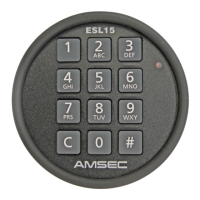
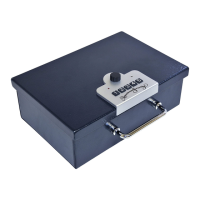
Quick Reference
To Open the Lock on the factory code:
Press 1-2-3-4-5 and then turn knob clockwise about 90 degrees.
To Set the Primary Code:
Lock the safe OPEN. Press the change button once; then enter
5 keystrokes for the new primary code. Test the new code.
To Set the Backup Code:
Lock the safe OPEN. Press the change button twice; then enter
8 keystrokes for the new backup code. Test the new code.
To Set the Features:
Press the change button three times.
One Beep = On, Two Beeps = Off
Button 1 = LED Lamp.
Button 2 = Beeper.
Button 3 = Duress Signal.
Wait until the red LED shuts off.
To Send a Duress (Silent) Signal:
Enter your code (primary or backup), then press keys 1 and 5
simultaneously within three (3) seconds of your final key-
stroke, then turn the knob to open.
2 7
AMSEC 5-Button Electronic Lock Model 5BE Operating Instructions Revised February, 2005
Programming
The 5BE lock is programmable, so the user can change codes and con-
trol features.
To Set the Primary Code:
1. Lock the safe OPEN.
2. Press the change button once.
3. Enter five (5) keystrokes for the new primary code.
4. Test the new code.
To Set the Backup Code:
Lock the safe OPEN.
Press the change button twice.
Enter eight (8) keystrokes for the new backup code.
Test the new code.
To Set the Features:
¾ Press the change button three times to activate the feature
programming mode.
¾ The features are “assigned” to individual buttons on the key-
pad when you are in the feature programming mode.
¾ A feature is turned ON by pressing the button for that fea-
ture and the unit sounds one (1) beep.
¾ A feature is turned OFF by pressing the button for that fea-
ture and the unit sounds two (2) beeps.
¾ Repeated pressing of a feature button will toggle the feature
ON/OFF
¾ Button Assignments are:
1. Button 1 = LED Lamp.
2. Button 2 = Beeper.
3. Button 3 = Duress Signal.
When finished with programming, stop pressing buttons and wait
10 seconds for the red LED lamp on the keypad to shut off.



 To Next Page