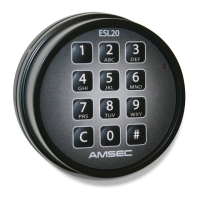
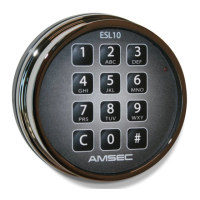
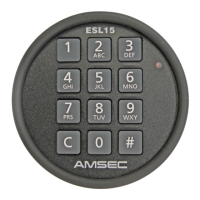
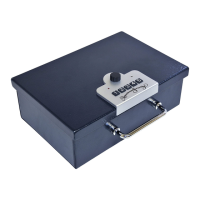
The SafeWizard II is a sophisticated electronic safe lock system designed for secure access control and management. It features a robust keypad interface, a clear LCD screen, and an internal controller that manages user access, door operations, and system settings.
Function Description:
The primary function of the SafeWizard II is to provide secure access to a safe or vault. It employs a multi-layered security approach, supporting PIN-only access, key-only access, or a combination of both (key and PIN). The system is capable of managing multiple users with different access levels and permissions, making it suitable for environments requiring hierarchical access control, such as retail, banking, or commercial settings.
Key functionalities include:
- User Management: The system allows for the addition, modification, and deletion of users. Each user can be assigned a unique 2-digit User ID and a 6-digit PIN. For key-enabled systems, users can also be associated with a specific key.
- Access Control: Users log in using their credentials (User ID + PIN, Key + PIN, or Key only) to access the main menu. From there, they can select options such as opening doors, managing deposits, or accessing administrative functions, depending on their assigned permissions.
- Door Operation: The system controls the opening of one or more doors. It supports time delay settings for doors, adding an extra layer of security by requiring a waiting period before the door can be opened after a successful login.
- Audit Trails and Reporting: The SafeWizard II records system events, including logins, door openings, and administrative changes. This audit trail is crucial for accountability and security monitoring. The system offers reporting features to review these events.
- System Administration: Authorized users can access an "Admin" menu to perform various administrative tasks, such as changing PINs, managing user profiles, and configuring system settings.
- Battery Monitoring: The LCD screen displays important status information, including a "A/C LOW" indicator, suggesting battery status or power supply information.
Important Technical Specifications (Inferred from the manual):
- User Code Format: 8-digit number (2-digit User ID + 6-digit PIN).
- PIN Length: 6 digits.
- Display: LCD screen for clear text prompts and status indicators.
- Input Method: Numeric keypad (0-9) with additional function keys (ABC, DEF, GHI, JKL, MNO, PQRS, TUV, WXYZ, ?$&@, *, #) and soft-keys for menu navigation (MENU, YES, NO, QUIT, ENTER/SAVE, SPACE).
- Power Source: Implied to have an A/C power supply with battery backup or monitoring, indicated by the "A/C LOW" message.
- Connectivity: The presence of a "reader port" suggests support for external key readers or other peripherals.
- Controller: An internal controller manages the system logic, user data, and door mechanisms. The "On/Off Switch" indicates a physical power control for the controller.
Usage Features:
- Intuitive Interface: The keypad and LCD screen provide a user-friendly interface for logging in, navigating menus, and performing operations.
- First-Time Login Wizard: For new users or initial setup, the system guides the user through the process of changing the factory-preset PIN to a personal PIN, enhancing security from the outset.
- Flexible Access Modes: Supports PIN-only, key-only, and key-and-PIN validation modes, allowing organizations to choose the security level that best suits their needs.
- Time Delay Functionality: Configurable time delays for door openings add a deterrent against forced access and provide time for security personnel to respond. The system displays a countdown for the time delay.
- Soft-Key Navigation: Context-sensitive soft-keys simplify menu navigation and selection.
- User Profiles: The ability to assign user profiles (e.g., Cashier, Manager) allows for granular control over permissions, ensuring that users only have access to the functions relevant to their role.
- Door Permissions: Specific door permissions can be assigned to users, allowing control over which doors a user can open.
- Time Delay Bypass Authorization: Certain users can be authorized to bypass time delays, which can be useful for managers or emergency situations.
Maintenance Features:
- PIN Change Functionality: Users can easily change their PINs through the "Admin" menu, promoting good security practices by allowing regular PIN updates.
- User Management: Administrators can add, delete, and modify user accounts, ensuring that access rights are always up-to-date and reflect current personnel. This is crucial for maintaining security when employees join or leave an organization.
- Battery Status Indicator: The "A/C LOW" message on the display alerts users to potential power issues, allowing for timely intervention to prevent system downtime or loss of functionality.
- Manual Reference: The manual explicitly directs users to an online resource (http://amsec.fyi/sw2) for the complete operating instruction manual, indicating a commitment to providing comprehensive support and documentation for maintenance and troubleshooting.
- Contact Information: The inclusion of contact details for American Security Products Co. (phone number and website) provides a direct channel for technical support and service, which is vital for ongoing maintenance and problem resolution.
- Part Number and Revision: The "Part #4305378" and "Revised 06/17" information helps in identifying the specific version of the device and its documentation, which is important for ordering correct replacement parts or accessing relevant support materials.

 Need help?

 To Next Page
 General