Log In
First Time Log In for PIN Only Users
ThePinOnlyUserCodeisaneightdigitnumber;thersttwodigitsaretheuser
IDnumber,inexample,user01,followedbythesixdigitpinnumber,factory
preprogrammedas1,1,1,1,1,1.Thesystemwillpromptforachangeofthispin
numberatyourrstlogin.
1. StartbyenteringtheUser2-digitIDNumber,followedbythefactoryPIN
1,1,1,1,1,1.PressENTER/SAVE.
2. Screenwilldisplayaprompttochangeyourpin,pressEntertochangethePin.
Enteryournew6-digitPIN.PressENTER/SAVE.
3. Screenwilldisplay“ConrmNewPIN”,entersame6digits.PressENTER/SAVE.
4. ScreenwillthenreverttotheMainMenu,andyourPinhasnowbeenchanged.
Aftertherstloginiscompleteandthefactoryuserpinhasbeenchangedtoa
personalpin,futureloginwillonlyrequirethe2-digitUserIDfollowedbythe6-digit
personalpintoaccesstheMainMenu.
For Key Users: First Time Log In with KEY and PIN
TheKeyreplacesthe2-digituserIDwhenenteringyourPINCode.
1. PresentKeytothereaderport.
2. EnterfactoryPIN1,1,1,1,1,1,andfollowsameinstructionsasabovetochange
thefactoryPin.Oncecomplete,futureloginwillonlyrequirepresentingyourkey
rstandenteringthe6-digitpersonalpintoaccessthemainmenu.
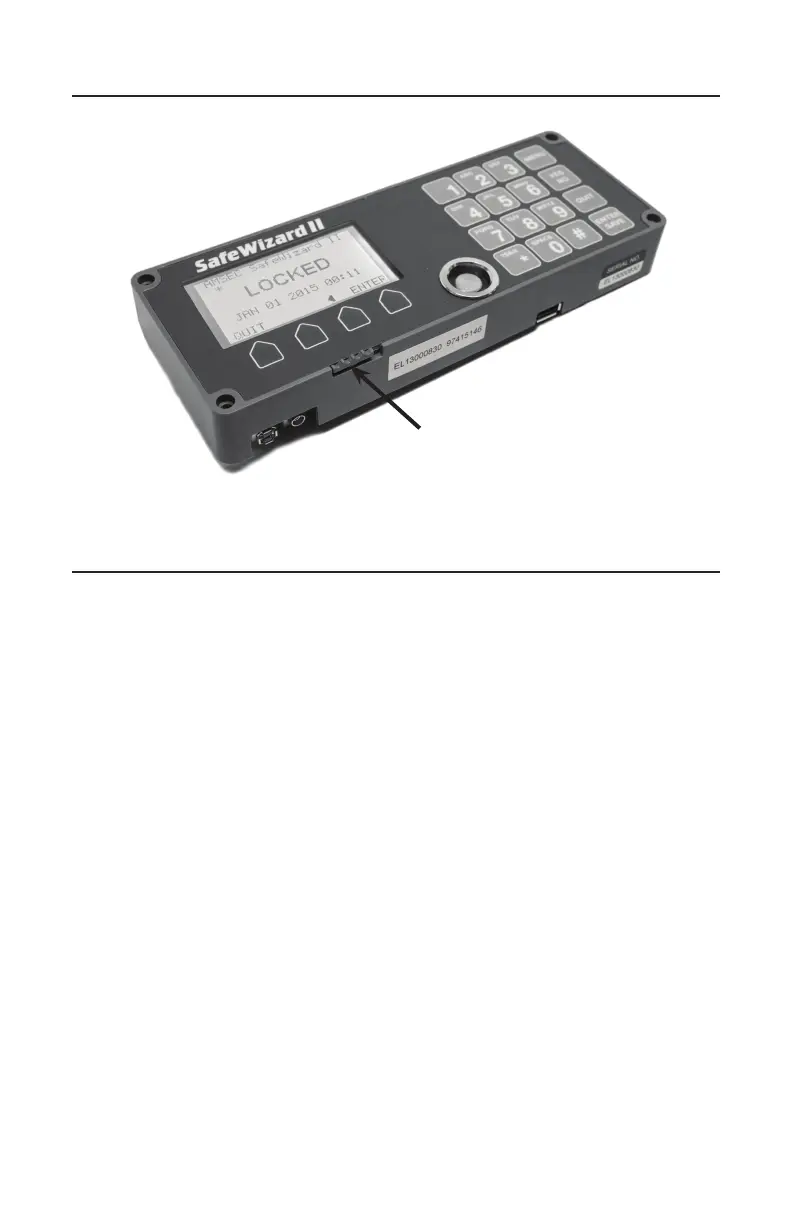
SafeWizardII Controller
On/O Switch
Slide Right - OFF
Slide Left - ON
Turning the safe On/O



 To Next Page