EasyManua.ls Logo

Anaheim Automation AD800 - User Manual

Default Icon
36 pages
Print Icon
To Next Page IconTo Next Page
Loading...
ANAHEIM GARAGE DOORS
ANAHEIM, CA
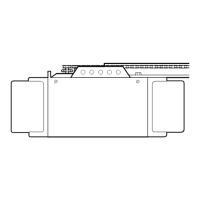
Garage Door Opener
Owners Manual
FOR RESIDENTIAL USE ONLY
Complies with UL 325
Regulations effective
January 1, 1993
MODEL AD1200
– 1/2HP
MODEL AD800
– 1/3HP
Please read this manual and the enclosed safety materials carefully!
Fasten the manual near the garage door after installation.
The door WILL NOT CLOSE unless the Protector System
®
is connected and
properly aligned
Periodic checks and adjustment of the opener are required to ensure safe
operation.
The model number label is located under the light lens on the front panel of
your opener.
®

Table of Contents

Question and Answer IconNeed help?

Do you have a question about the Anaheim Automation AD800 and is the answer not in the manual?

Summary

Essential Tools and Pre-Installation Checks

Safety Warnings

Crucial safety advice regarding door balance and ropes.

Pre-Installation Door Test

Procedure to test door balance and check for sticking before installation.

Installation Scenarios

Sectional;One-Piece Door with Track

Installation considerations for doors with track systems.

One-Piece Door Without Track

Installation considerations for one-piece doors without track systems.

Carton Inventory

Installation Hardware

List of hardware components for general installation.

Safety Reversing Sensor Hardware

Specific hardware for the safety reversing sensor.

Assembly Step 1: Rail and Chain Setup

Assembly Step 2: Chain Tightening

Critical Installation Safety Warnings

Essential safety instructions and precautions for the opener installation process.

Installation Step 1: Header Bracket Location

Sectional;One-Piece Door with Track Location

Determining the optimal header bracket position for doors with track systems.

One-Piece Door Without Track: Header Bracket Location

Installation Step 2: Header Bracket Mounting

Wall Structure Mounting

Instructions for securely fastening the header bracket to a wall support.

Ceiling Structure Mounting

Instructions for securely fastening the header bracket to a ceiling support.

Installation Step 3: Attach T-rail to Header Bracket

Installation Step 4: Opener Unit Positioning

Positioning for Tracked Doors

Guidance on positioning the opener for sectional or one-piece doors with tracks.

Positioning for One-Piece Doors Without Track

Guidance on positioning the opener for one-piece doors without tracks.

Installation Step 5: Hang the Opener Unit

Mounting to Structural Supports

Procedures for securely hanging the opener to structural supports.

Mounting to Finished Ceiling

Procedures for securely hanging the opener to a finished ceiling.

Installation Step 6: Install Door Control

Installation Step 7: Install Lights and Lenses

Installation Step 8: Attach Manual Release Rope

Installation Step 9: Electrical Requirements

The Protector System Safety Sensor

Installation Step 10: Safety Reversing Sensor Installation

Wall or Door Track Mounting

Instructions for mounting the safety sensors on walls or garage door tracks.

Alternate Mounting Options

Alternative methods for installing the safety reversing sensor units.

Installation Step 11: Fasten Door Bracket

Sectional Door Bracket Installation

Procedure for attaching the door bracket to sectional garage doors.

One-Piece Door Bracket Installation

Installation Step 12: Connect Door Arm to Trolley

Sectional Door Arm Connection

Connecting the door arm to the trolley for sectional doors.

One-Piece Door Arm Assembly and Adjustment

Adjustment Step 1: Travel Limit Adjustment

Adjustment Step 2: Force Adjustment

System Testing Procedures

Protector System Sensor Test

Verifying the functionality of the safety reversing sensor.

Safety Reverse System Test

Confirming the door reverses correctly upon encountering an obstruction.

General Safety and Opener Care

Key Safety Instructions

Essential safety guidelines for operating and maintaining the opener.

Routine Maintenance Schedule

Recommended periodic checks and maintenance tasks for optimal performance.

Opener Operation

Activating the Opener

Methods for opening and closing the garage door using various controls.

Control Panel Features

Understanding the multi-function door control, light, and lock features.

Receiver and Remote Programming

Troubleshooting Common Issues

Troubleshooting Continued Issues

Repair Parts Identification

Rail Assembly Parts

Diagram and list of components for the opener's rail assembly.

Installation Parts List

Diagram and list of parts used during the opener's installation process.

Opener Assembly Parts

Available Opener Accessories

Anaheim Automation AD800 Specifications

General IconGeneral
BrandAnaheim Automation
ModelAD800
CategoryGarage Door Opener
LanguageEnglish

Related product manuals