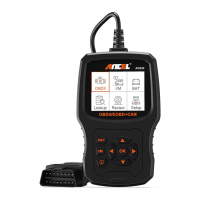
5.DOWN BUTTON- Moves down through menu and submenu items in
menu mode.
6. LEFT BUTTON- When looking up datastream, if the datastream display
more than one screen, or turn page up or down when more than one page
is displayed.
7. RIGHT BUTTON- When looking up datastream, if the datastream
display more than one screen, or turn page up or down when more than
one page is displayed
8. "11M" BUTTON- Quick State Emissions readiness check and drive cycle
verification
9. HELP BUTTON- Provides help information ,Press the help button will
obtain more the fault code explanation.
I/M Readiness
IGN
MIL
MIS
CCM
CAT
HCAT
Spark
a
DTC
PdDTC
EVAP
AIR
02S
EGR
x
x
Remarks:
MIL Yellow- Dashboard MIL ON
MIL Gray-Dashboard MIL OFF
Ø -not support
s/ -complete
X -not complete
3.2 Specifications
1) Display: 2.8" TFT 262K true color
2) Operating Temperature: 0 to 50C (32 to 140 FO)
3) Storage Temperature: -20 to 70C (4 to 158 FO)
4) External Power: 8 to 36 V power provided via vehicle battery
5) Dimensions: 155.30 x 97.60 x 31.80 mm
6) Weight: 0.45kg
3.3 Accessories Included
1) User's Manual Instructions on tool operations
2) USB cable Used to upgrade the scan tool
6


 To Next Page