3.5 Review
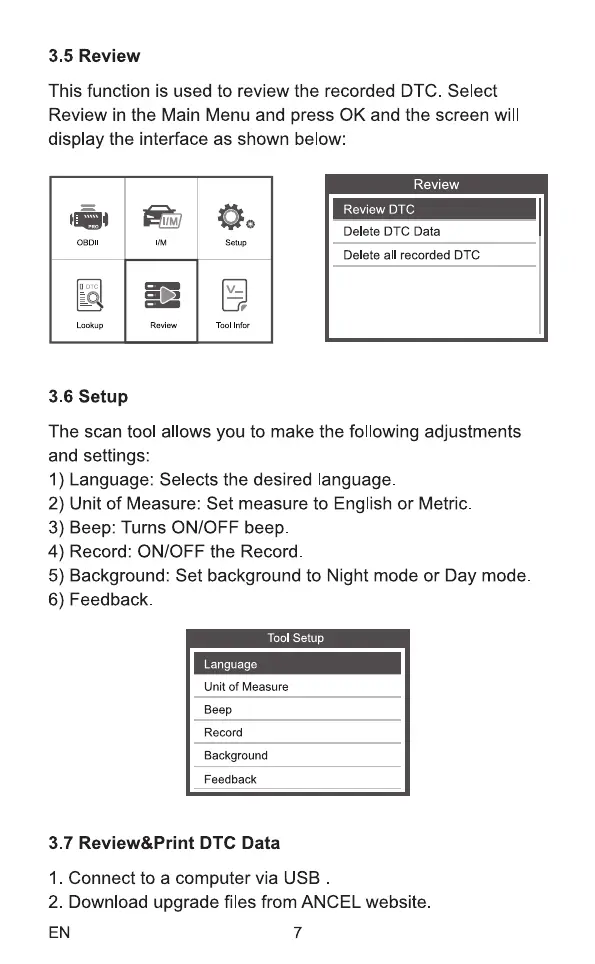
This function is used to review the recorded DTC. Select
Review in the Main Menu and press 0K and the screen will
display the interface as shown below:
Lookup
Review
Review DTC
Delete DTC Data
Setup
Delete all recorded DTC
Tool
3.6 setup
The scan tool allows you to make the following adjustments
and settings:
I) Language: Selects the desired language.
2) Unit of Measure: Set measure to English or Metric
3) Beep: Turns ON/OFF beep
4) Record: ON/OFF the Record
5) Background: Set background to Night mode or Day mode.
6) Feedback
Tool Setup
Language
Unit of Measure
Beep
Record
Background
Feedback
3.7 Review&Print DTC Data
1. Connect to a computer via USB
2. Download upgrade files from ANCEL website.
EN 7



 To Next Page