Battery Tester BA101 User Manual
11
BA101
3.3.3 Select Battery Type
After the battery charge status selected, tester will prompt to select battery type, i.e. Regular Flooded, AGM Flat Plate or
AGM Spiral, Gel and EFB battery. Press UP/DOWN key to select battery type, then press OK key to confirm
Battery System Standard and Rating
BA101 battery tester will test each battery according to the selected system and rating.
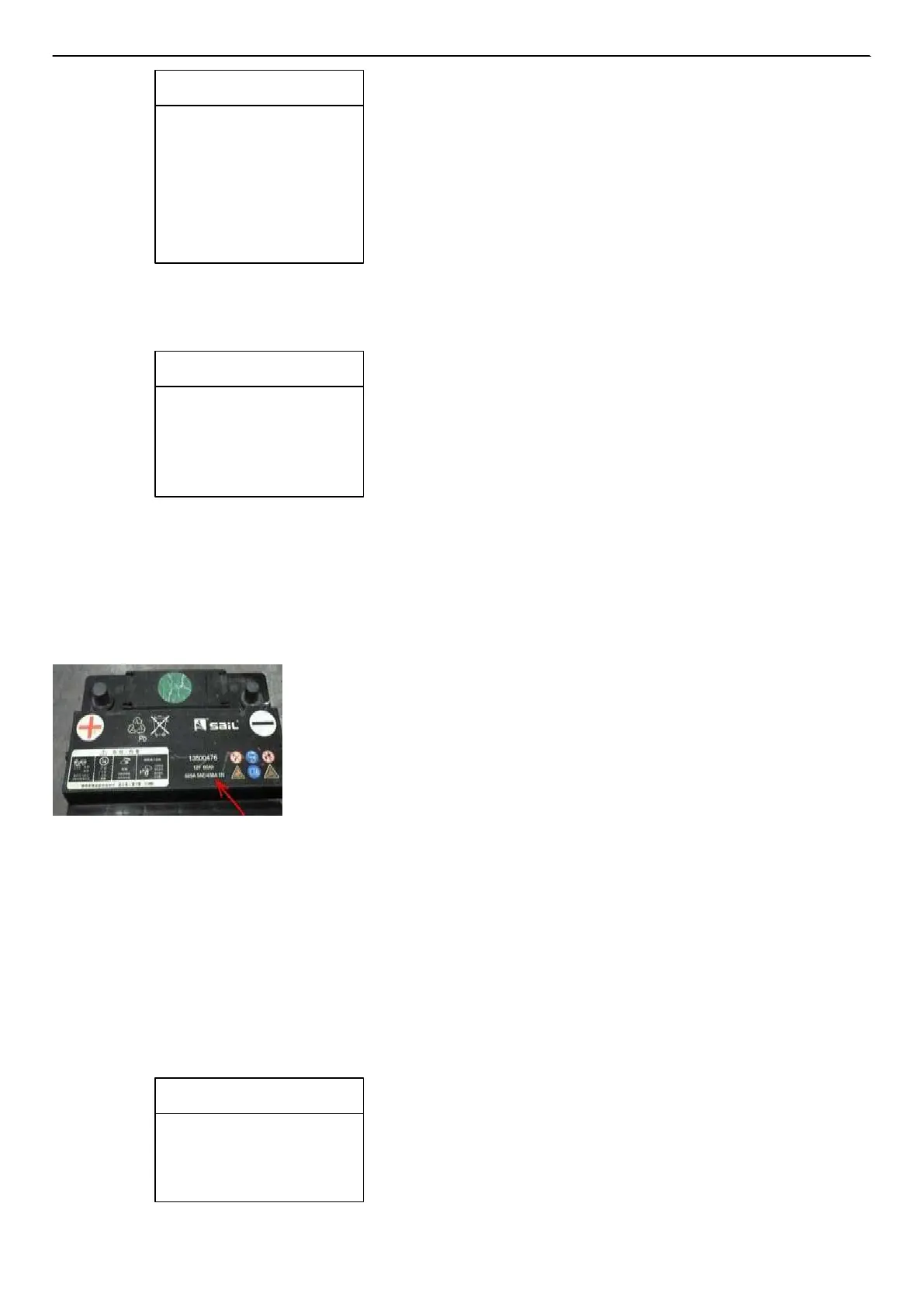
Use UP/DOWN key to select according to the actual system standard and rating marked on the battery. Use UP/DOWN key to select
according to the actual system standard and rating marked on the battery. See in the below picture, the arrow indicated location.
CCA: Cold Cranking Amps, specified by SAE&BCI, most frequently used value for starting battery at 0°F (-18°C).
BCI: Battery Council International standard
CA:Cranking Amps standard, effective starting current value at 0°C
MCA: Marine Cranking Amps standard, effective starting current value at 0°C.
JIS:Japan Industrial Standard, displayed on the battery as combination of the numbers and letters, e.g. 55D23,80D26. DIN:
German Auto Industry Committee Standard
IEC: Internal Electro technical Commission Standard
EN: European Automobile Industry Association Standard
SAE: Society of Automotive Engineers Standard GB:
China National Standard
Se
le
ct
Input
Battery
T
y
pe
1.Regular
Flooded.
2. AGM
Flat
Plate.
3.AGM
spiral
4.GEL
5.EFB
Main Menu
1.Quick T
e
st
2.Battery
in Vehicle
3.Out of V
ehicle
4.Review Data
5. Print
Data
6.System Setu
p
ANCEL



 To Next Page