nnce
11M
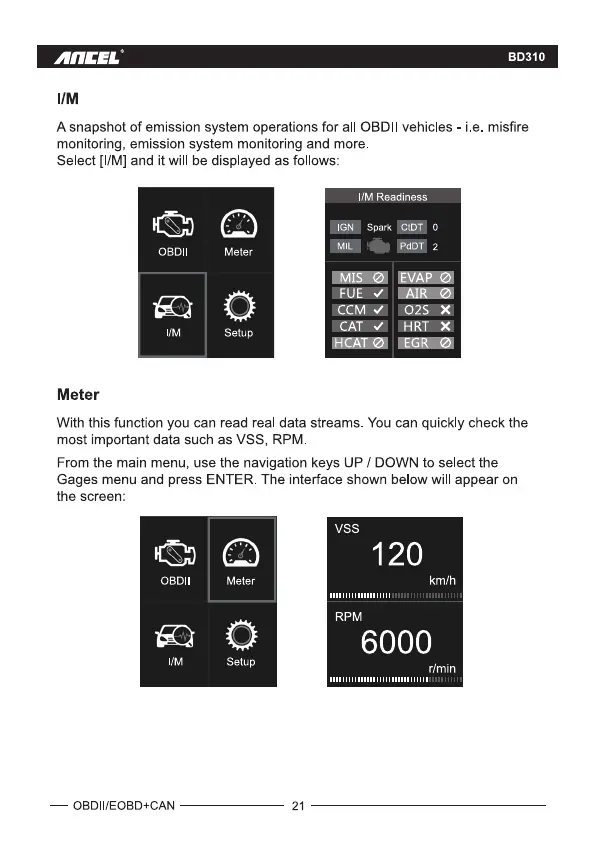
A snapshot of emission system operations for all OBDII vehicles
monitoring, emission system monitoring and more.
Select [I/M] and it will be displayed as follows:
BD310
_ i e misfire
OBDII
Meter
Meter
Setup
Readine
spark
MISØ EVAPØ
AIRØ
CCVW 11029..*
HCATØ EGRØ
With this function you can read real data streams. You can quickly check the
most important data such as VSS, RPM
From the main menu, use the navigation keys UP / DOWN to select the
Gages menu and press ENTER. The interface shown below will appear on
the screen:
OBDII
— OBDII/EOBD+CAN
O
Setup
vss
120
km/h
RPM
6000
r/min
21



 To Next Page