nnce
BD310
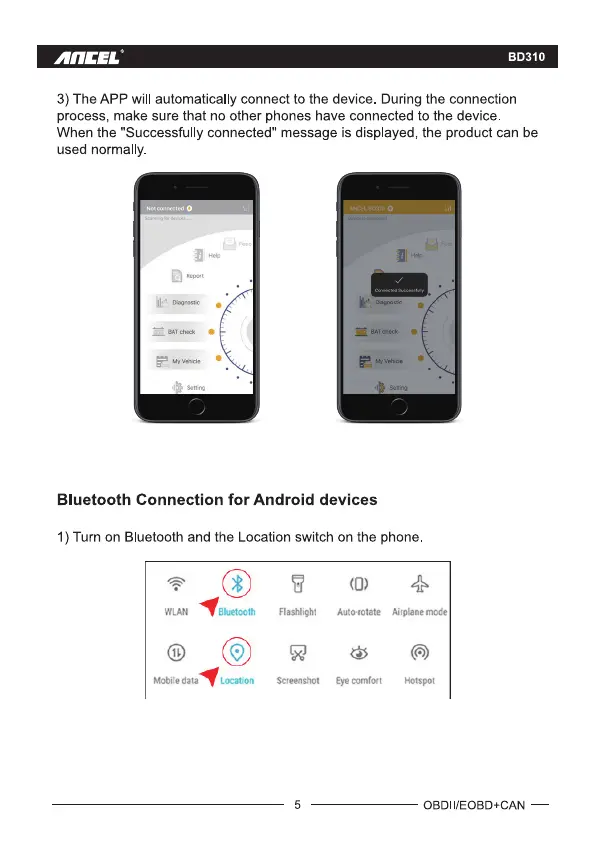
3) The APP will automatically connect to the device. During the connection
process, make sure that no other phones have connected to the device
When the "Successfully connected" message is displayed, the product can be
used normally.
Bluetooth Connection for Android devices
1) Turn on Bluetooth and the Location switch on the phone.
O
Mobile data
Bluetooth
O
Location
Flashlight
Screenshot
5
Auto-rotate Airplanemode
Eyecomfort
Hotspot
OBDII/EOBD+CAN —



 To Next Page