DS200: Includes all the functions of the DS100, along with 15 additional maintenance functions, which are:
AdBlue Reset, Airbag Reset, A/F Reset, ABS Bleeding, Battery Matching, Gearbox Relearn, Brake Reset, DPF
Regen, Electric Throttle Relearn, Gear Learn, Injector Coding, NOx Sensor Reset, Oil Maintenance Reset,
Steering Angle Reset, and TPMS (Reset).
3.How To Use
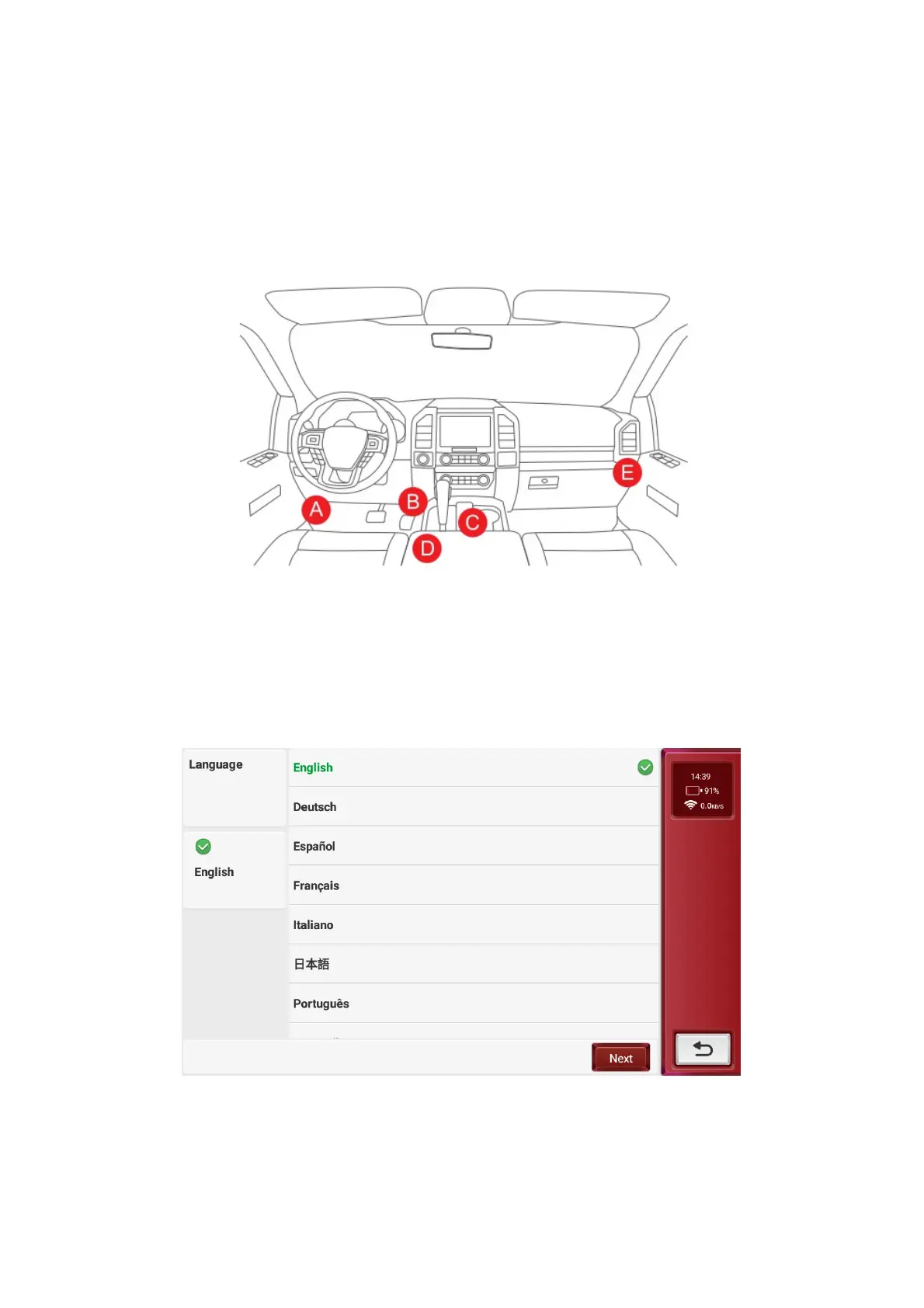
3.1 Connect the device to the vehicle's DLC (Data Link Connector) using the diagnostic cable
The location of the vehicle's DLC is usually located under the steering wheel,generally as shown in the figure
below.
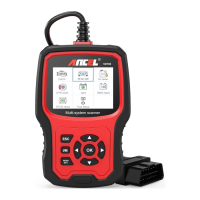
3.2 Language Setting
Once the DLC is connected, the device will automatically power on. For first-time use, the first step is to set the
language. The default language of the device is English. If you want to change the language, please proceed to
the next step and connect to Wi-Fi to download the latest diagnostic software for the selected language.
3.3 Select Wi-Fi
Wi-Fi connects the device to the internet, allowing for enhanced diagnostic services and access to the latest
information. This device supports the 2.4GHz band. If you choose to skip the Wi-Fi connection, the default English
version of the diagnostic software can still be used. However, it is recommended to connect to Wi-Fi during initial
setup to easily download the latest version of the diagnostic software.



 To Next Page