Clear Data: Clear the cache, reset settings, and restart the app.
About: View version information for the device.
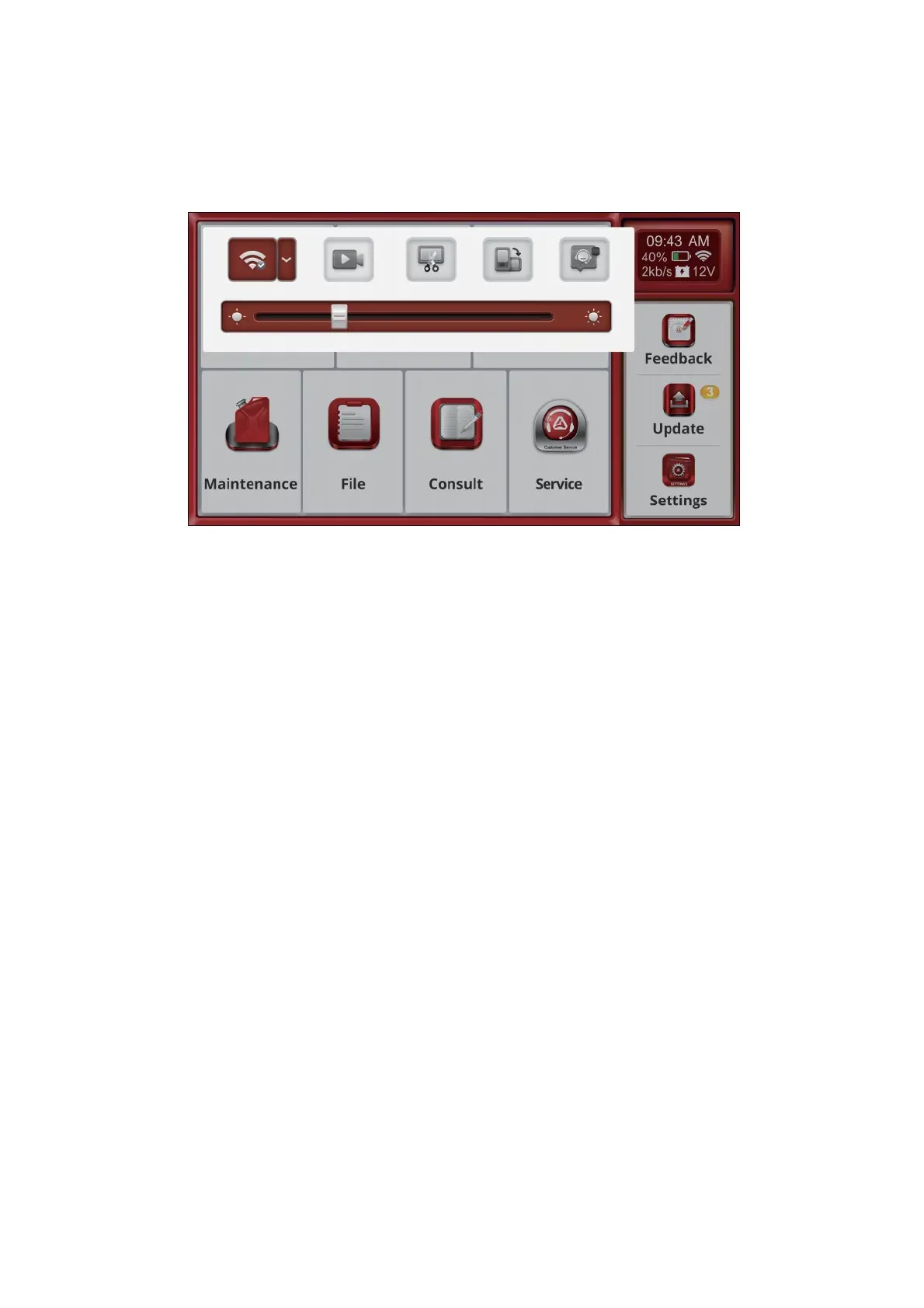
4.10 Shortcut
Swipe down from the top of the screen to open a floating window, providing quick access to settings like
brightness adjustment and the screenshot feature.
5.FAQ
Here we list some frequently asked questions and answers related to this device.
5.1 Q: Why is there no response when the device is connected to a vehicle?
A: Ensure the connection to the vehicle's diagnostic port is proper, the ignition switch is on, and that the
device supports the vehicle.
5.2 Q:Why does the system freeze while reading the data stream?
A: This could be due to a loose diagnostic connection. Please unplug the connector and reconnect it firmly.
5.3 Q: Why is there a communication error with the vehicle's ECU?
A: Please check the following:
* Ensure the diagnostic connector is properly connected.
* Confirm that the ignition switch is ON.
* If everything appears normal, please use the Feedback function to send us the vehicle's year, make, model, and
VIN number.
5.4 Q: Why does the screen flicker when the engine starts?
A: This is normal and is caused by electromagnetic interference.
5.5 Q:How do I upgrade the system software?
A: 1.Start the device and ensure a stable Internet connection.
2.Go to "Settings" -> "App Update," click "OTA," and then select "Check Version" to access the system
upgrade interface.
3.Follow the on-screen instructions to complete the upgrade. It may take a few minutes. After the upgrade is
successfully completed, the tool will automatically restart and return to the main interface.
6.WarrantyDeclaration



 To Next Page