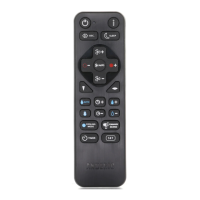
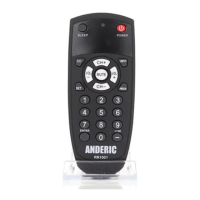
+100 or MUTE) according to table below simultaneously for 5 seconds;
the indicator light shall remain on; Now the remote is automatically
searching the code of that TV brand.
3. If the TV is controlled (by turning on or turning off), release the buttons
to save the code and exit setup.
Code Identification
1. Press and hold the SET and POWER buttons simultaneously for 3
seconds; the indicator light shall remain on; then release the buttons.
2. Press and release SET. Now the remote is in the code identification
mode.
3. To find the first digit for the code stored, press and release the 1 key.
Count the number of times the light blinks, this is your number for the
first digit of your code. Example: if the indicator blinks five times, this
means the first digit of the code is 5.
4. To find the second digit for the code stored, press and release the 2 key.
Count the amount of times indicator blinks. This is your second digit of
your code.
5. To find the third digit for the code stored, press and release the 3 key.
Count the amount of times indicator blinks. This is your third digit of your
code.
6. To find the fourth digit for the code stored, press and release the 4 key.
Count the amount of times indicator blinks. This is your fourth digit of
your code. When you reach the fourth digit, remote exits setup mode.
NOTE: If there are no blinking, this means the digit is 0.


 To Next Page