English Svenska Norsk
7
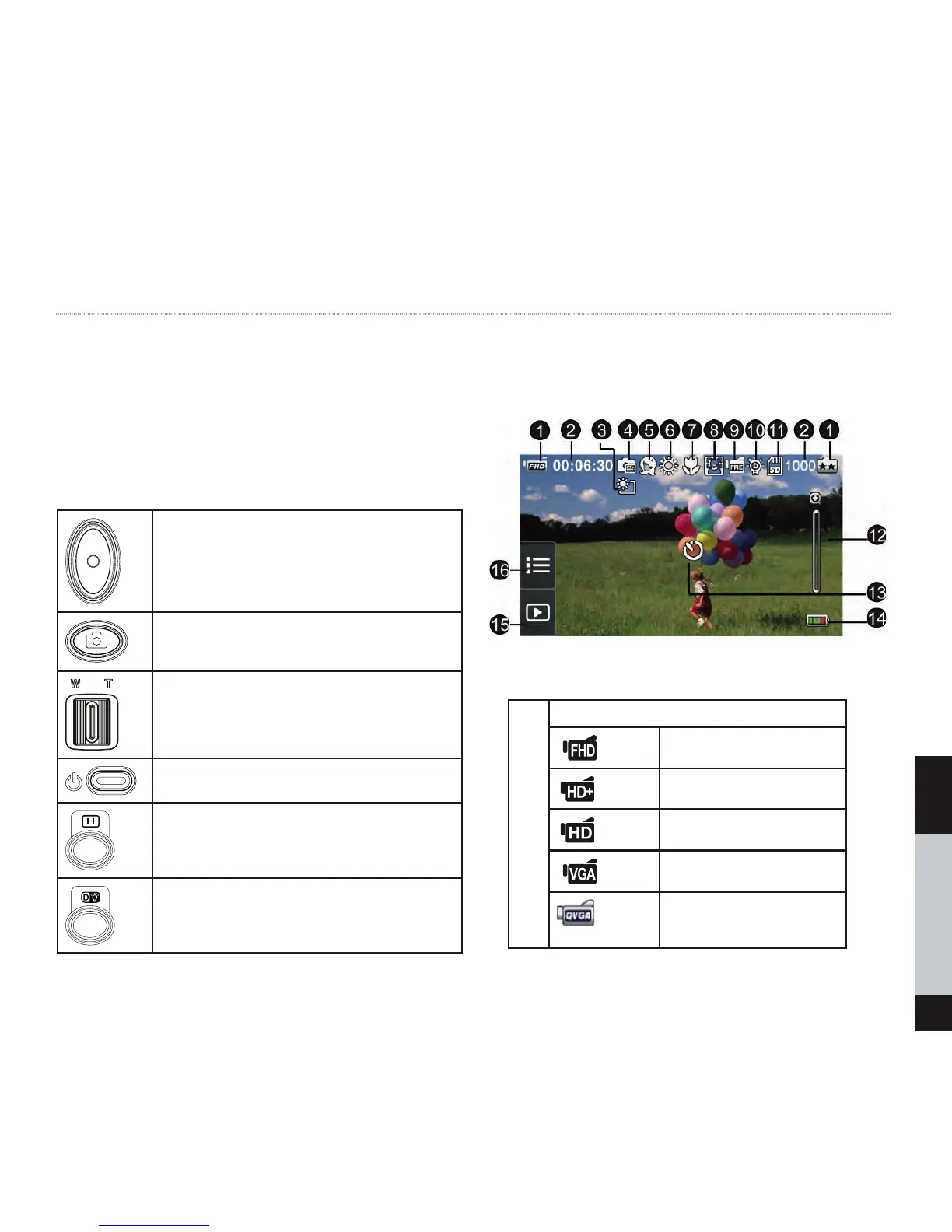
Chapter 3: Buttons and Screen Icons
Video button:
1. Press to record
2. Press again to stop
Photo button:
1. Press to take photo
2. In video mode to capture the image
Tele button/Wide button:
1. Zoom in
2. Zoom out
Power button:
Press to turn the camera on and off
Pause Button:
1. Press to pause the recording.
2. Press again to continue.
Digital light Button:
Digital light On/Off.
Screen Icons and list of explanations:
1
Video Resolution
Full HD (1080p 30 fps)
HD (720p 60 fps)
HD (720p 30 fps)
VGA (640X480)
S
(Record video at QVGA
resolution)
low Motion (432x240)


 To Next Page