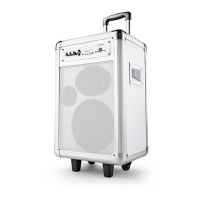
Need help?
Do you have a question about the Andersson PYB-4100 and is the answer not in the manual?
Precautions for electrical connections and maintenance to prevent shock.
Guidelines for qualified personnel performing repairs and handling damaged equipment.
Rules for safe use, child supervision, and intended product application.
Identification of external parts like handle, control panel, and ports.
Details of buttons and displays on the speaker's control panel.
Explanation of buttons on the remote control for various operations.
Initial setup steps, including power connection and switch usage.
Instructions for connecting two speakers for stereo sound.
Steps to connect a Bluetooth device to the speaker.
How to use USB for playback and device charging.
Guide on how to record audio and manage recordings.
Instructions for connecting audio devices via cable.
How to link multiple speakers for a party environment.
Key specifications like power output, frequency, and dimensions.
List of items included in the product packaging.
Manual copyright, statement, and warranty information.
Guidelines for recycling packaging and batteries, and safety compliance.
Details about Bluetooth word mark and logo usage.
 General
| Frequency Response | 100Hz - 18kHz |
|---|---|
| Speaker type | Portable Speaker |
| Connectivity | Bluetooth, AUX, USB |
| Power source | Battery |
| Impedance | 4Ω |

 To Next Page