5
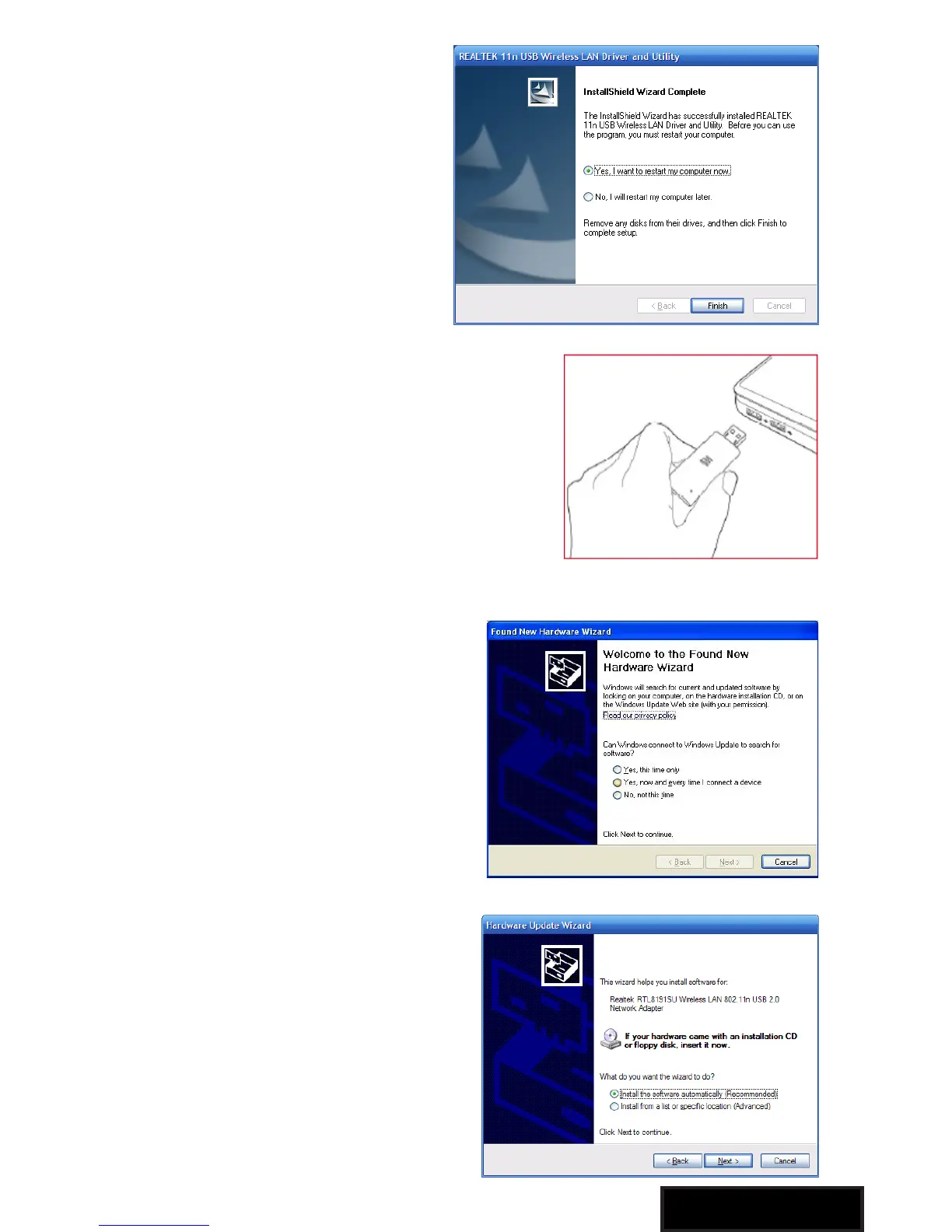
The installer will automatically
install the program. When
done, select Yes, I want to
restart my computer now and
click Finish to reboot your
computer.
With the computer now turned on, insert
the Wireless-N USB Adapter into an
open USB 2.0 port
With the Welcome to the Found
New Hardware Wizard screen
displayed (which is automatic
when the adapter is connected
to the .computer), select the
option “No, not this time” and
click “Next.”
When prompted with “What
do you want the wizard to do?”
select “Install the software
automatically (Recommended)”
and click “Next.”



 To Next Page