Anedio D2 DAC 2
grounding prong. The wide blade or the third prong are
provided for your safety. If the provided plug does not fit into
your outlet, consult an electrician for replacement of the
obsolete outlet.
10. Protect the power cord from being walked on or pinched
particularly at plugs, convenience receptacles, and the point
where they exit from the apparatus.
11. Only use attachments/accessories specified by the
manufacturer.
12. Use only with the cart, stand, tripod, bracket, or table specified
by the manufacturer, or sold with the apparatus. When a cart is
used, use caution when moving the cart/apparatus
combination to avoid injury from tip-over.
13. Unplug this apparatus during lightning storms or when unused
for long periods of time.
14. Refer all servicing to qualified service personnel. Servicing is
required when the apparatus has been damaged in any way,
such as power-supply cord or plug is damaged, liquid has been
spilled or objects have fallen into the apparatus, the apparatus
has been exposed to rain or moisture, does not operate
normally, or has been dropped.
WARNING: To reduce the risk of fire or electric shock, do not
expose this apparatus to rain or moisture. The apparatus shall
not be exposed to dripping or splashing, and no objects filled
with liquids, such as vases, shall be placed on the apparatus.
To completely disconnect this equipment from the ac mains,
disconnect the power supply cord plug from the ac receptacle.
The mains plug of the power supply cord shall remain readily
operable.
3 Anedio D2 DAC
Setting Up
Package Contents
• D2 DAC
• IR Remote Control
• Windows USB Driver Installation CD
• AC Power Cord
• Extra Fuse and Jumpers
• User Manual
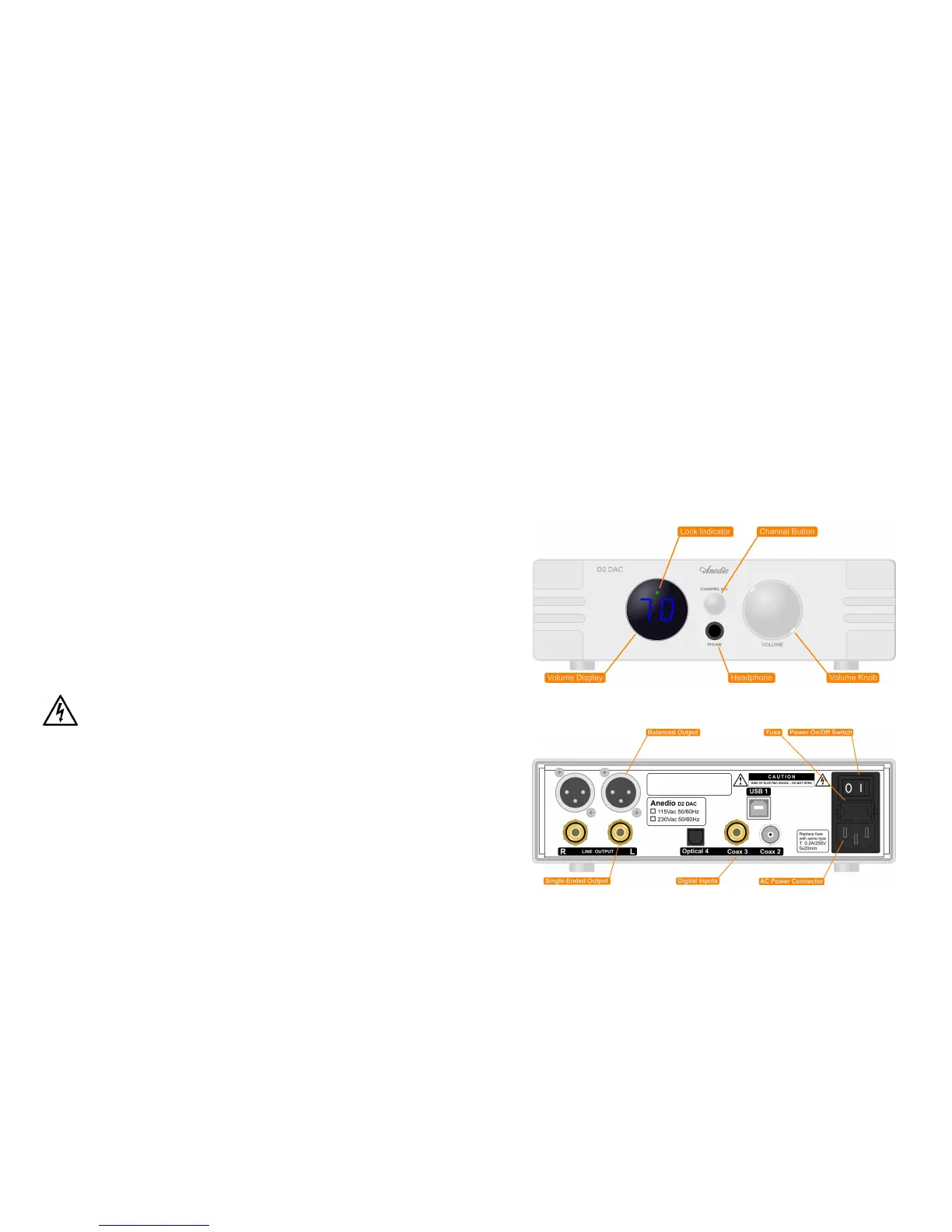
Front Panel
Rear Panel


 To Next Page