EasyManua.ls Logo

AngelTrax Hybrid Quest MDVR - User Manual

Default Icon
77 pages
Print Icon
To Next Page IconTo Next Page
Loading...
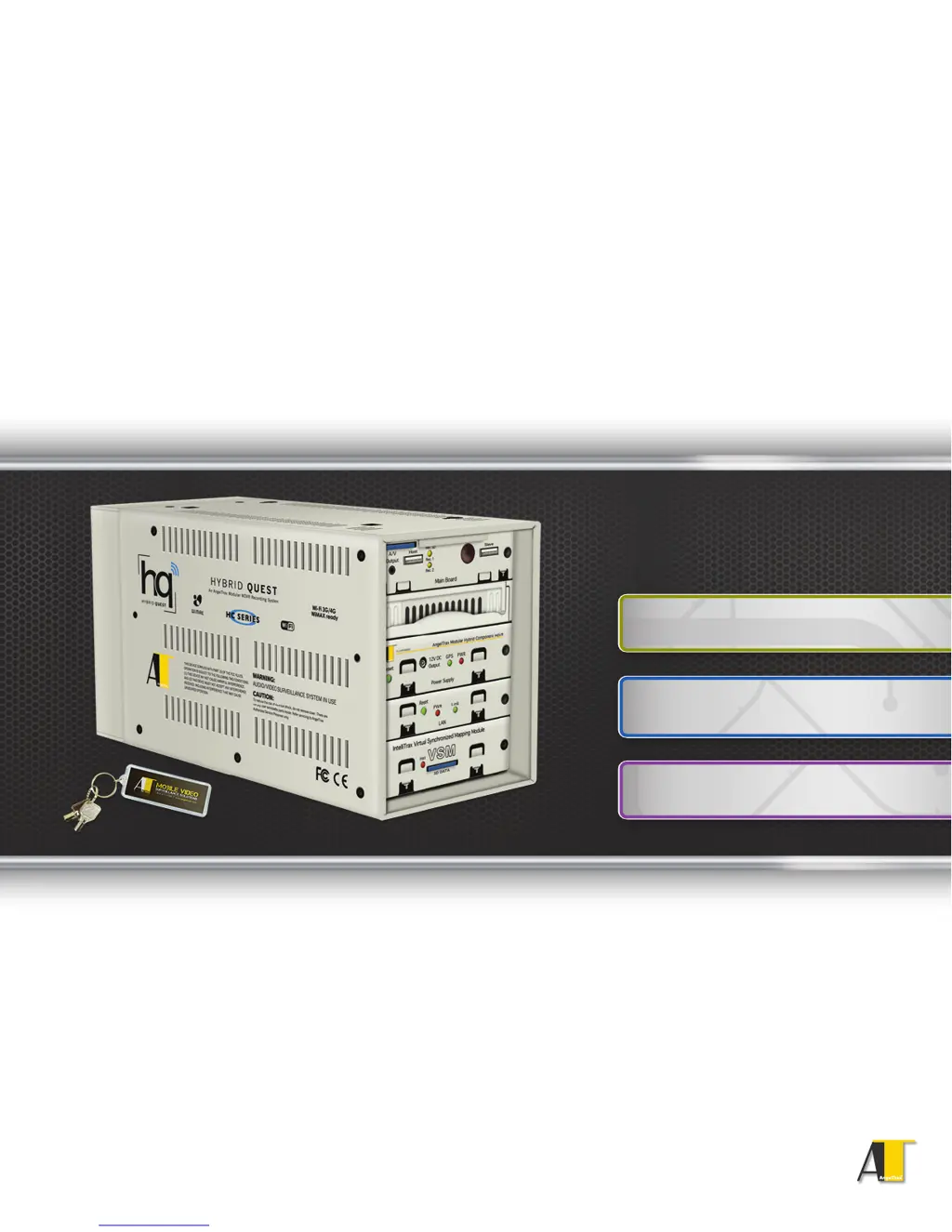
Hybrid Quest
MDVR
AngelTrax Hybrid Component Mobile Digital Video Recorder
Mobile DVR Installation, Setup and User Manual
Includes Quick Setup Guide
Lists all the key features and settings
for the Hybrid Quest™ MDVR
Unit Installation
User Menus and Settings
Servicing Procedures

Table of Contents

Questions and Answers

  • R
    Robyn BurnettAug 10, 2025
    How to troubleshoot an AngelTrax DVR that does not power on?
    • R
      Ryan WardAug 11, 2025
      If your AngelTrax DVR isn't powering on, it could be due to a few reasons. First, the voltage to the system might be too low; ensure it's between 9 and 30 VDC. The power harness from the MDVR should be connected to a reliable power source as close to the battery as possible. Also, check the in-line fuses and fuse holders. If any fuse is blown, identify the cause before you replace it. Finally, ensure the constant and switched power harness is securely plugged into the MDVR.
  • L
    Lauren LangAug 15, 2025
    What to do if my AngelTrax Hybrid Quest MDVR DVR turns on but does not start recording?
    • D
      Danielle JohnsonAug 15, 2025
      If your AngelTrax DVR turns on but doesn't start recording, make sure the hard drive is properly locked in. Check that the voltage is between 9 and 30 VDC. If your unit has an optional daughter board, ensure the SD card is securely fitted into the SD slot.
  • S
    sarahbaldwinAug 20, 2025
    Why is there no picture on the video monitor output of my AngelTrax Hybrid Quest MDVR?
    • L
      Laura GouldAug 20, 2025
      If there's no picture on the video monitor output of your AngelTrax DVR, check the connections inside the camera and on the back of the MDVR. Ensure the monitor is properly connected. The voltage should be between 9 and 30 VDC.
  • G
    Gary KlineAug 26, 2025
    What to do if my AngelTrax Hybrid Quest MDVR will not shut off?
    • J
      Jeffrey HicksAug 26, 2025
      If your AngelTrax DVR will not shut off, check the voltage on the yellow wire with a meter to ensure the voltage is at zero when the ignition is OFF. Also, check the delay time switches on the back of the MDVR to confirm that number 1 is in the ‘down’ position.
  • J
    John KaufmanAug 30, 2025
    How to fix a snowy, fuzzy, or grainy live camera picture on my AngelTrax Hybrid Quest MDVR?
    • J
      Jennifer Stephens DVMAug 30, 2025
      If the live camera picture on your AngelTrax DVR is snowy, fuzzy, or grainy, check all connections inside the camera. Inspect the camera cable for any damage, and check the connections on the back of the MDVR.
  • C
    Cassandra BrownSep 4, 2025
    Why does my AngelTrax Hybrid Quest MDVR DVR beep constantly?
    • T
      Tammy AndersonSep 4, 2025
      If your AngelTrax DVR beeps constantly, it could indicate a loose camera connection on one of the camera inputs or a problem with the hard drive.

AngelTrax Hybrid Quest MDVR Specifications

General IconGeneral
BrandAngelTrax
ModelHybrid Quest MDVR
CategoryDVR
LanguageEnglish

Related product manuals