。
Congratulations on your new Pest Repellent! You have option to get your device
started. Your unit came with an AC adapter. Remove the back cover from your device and
plug in the adapter. You will see an opening at the bottom of the unit that you can run the
cord through.
If you don't have an electrical outlet available in the area, you will need four C batteries
(not included).
When you install power the unit will wait a few moments at which point a red light will
turn on.The light will stay on for about 20 seconds and then switch off.Your device is now
ready to use. AII of your controls are located at the back of your device. Remove the cover
to adjust the following settings as needed.
Frequency Dial:
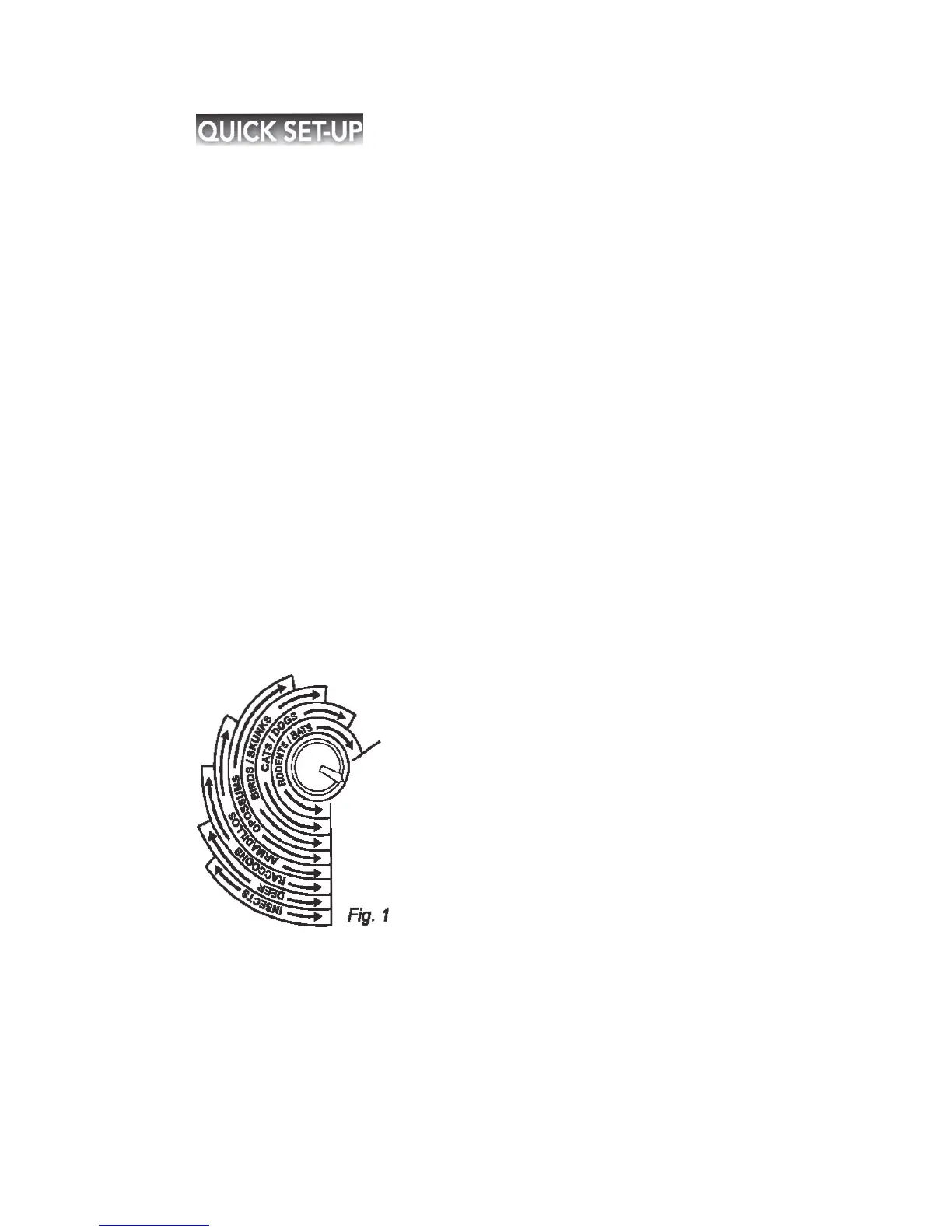
You will see several types of pests list around the Frequency
dial(Fig. 1) and the rang es of frequencies that are ideal for repelling them. You turns
dial to th e setting that best suits your nee ds. If you are try ing to repel more than one
type of pest, set it somew here within the ranges of each of them. Adjust the
frequency slightly every few weeks to a void allowing the pest to adapt to the sound.


 To Next Page