5
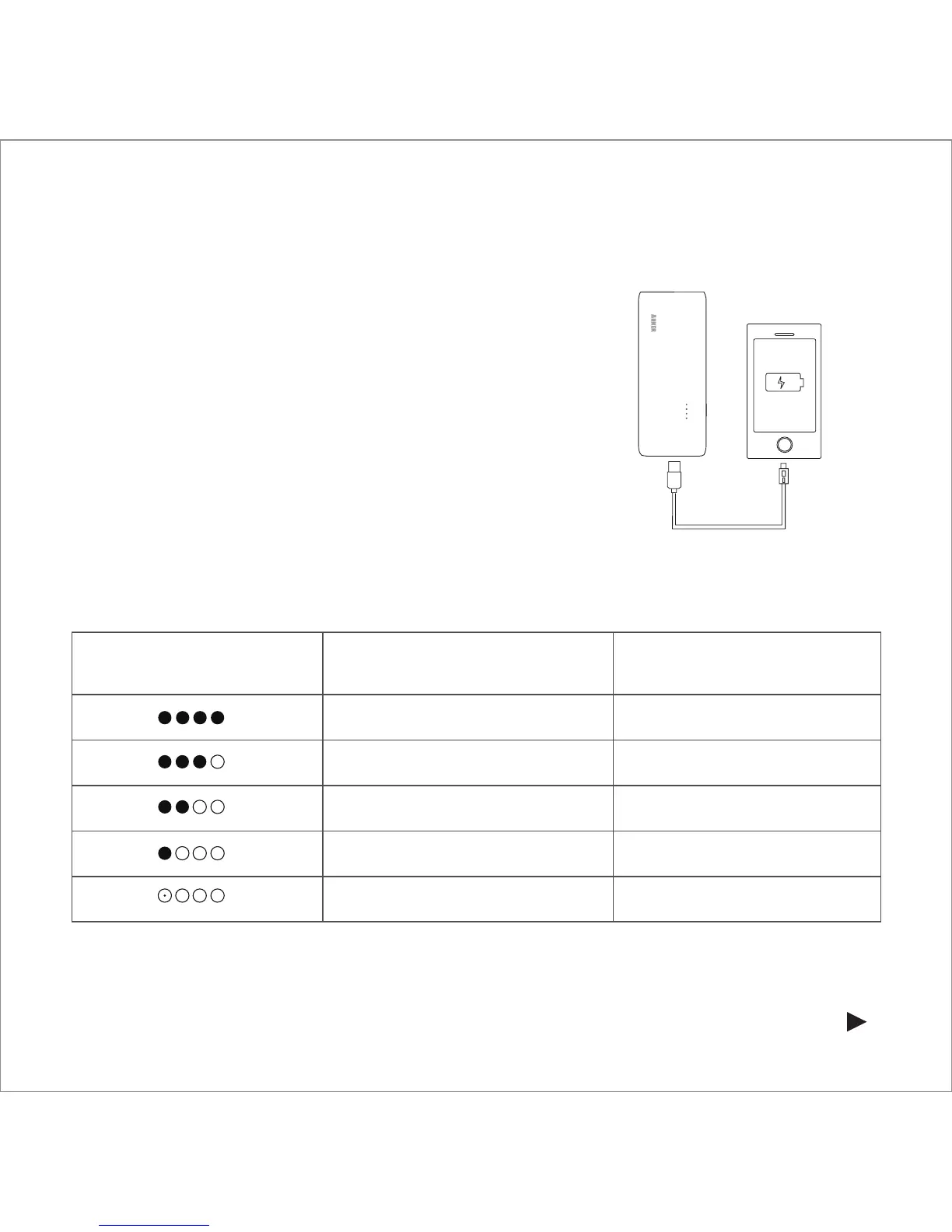
How to Use the Astro E5 to Charge Other Devices
1. Plug the USB power cable into a charging port.
2. Attach the remaining end of the USB power
cable to your device within 30 seconds.
3. Your device will automatically begin to charge.
4. The LED power meter will automatically turn
off when your device is fully charged and not
drawing a current.
Power Meter Display While Charging Other Devices
LED Power Meter:
Discharging
LED Display Battery Capacity
Four lights on 100% - 75%
Three lights on 75% - 50%
Two lights on 50% - 25%
One light on 25% - 5%
First light blinking 5% - 0%



 To Next Page