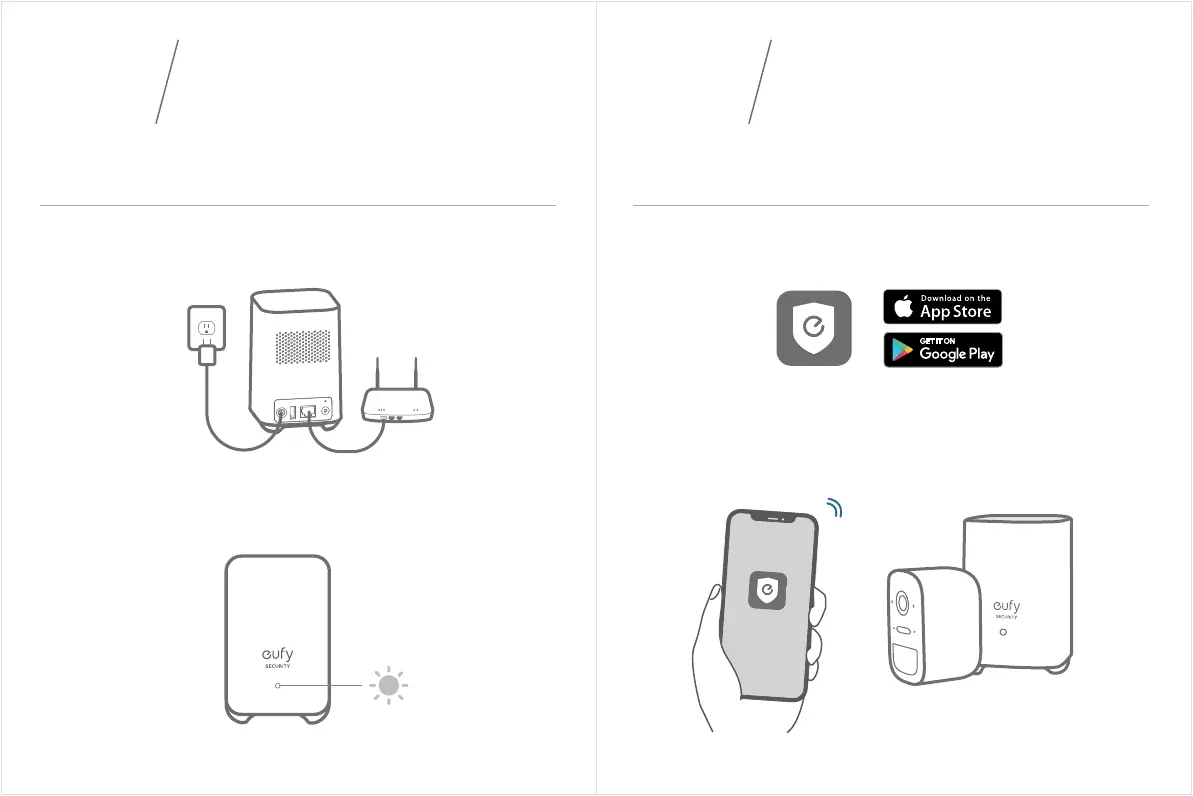
1. Power on the HomeBase 2, then use the ethernet cable provided to
connect the HomeBase 2 to your home router.
2. The LED indicator turns to blue (this may take up to 1min) when
HomeBase 2 is ready for setup.
Connecting the HomeBase 2 to the Internet Getting the App and Setting up the System
CONNECTING
THE HOMEBASE 2
03
03 04
Download the Eufy Security app from the App Store (iOS devices) or
Google Play (Android devices).
Sign up for a Eufy Security account, then follow the onscreen instruc-
tions to complete the setup.
04
SETTING UP
THE SYSTEM


 To Next Page