Skip to content
Manuals+
User Manuals Simplified.
Home » Eufy » Anker Eufy RoboVac L70 Vacuum User Manual
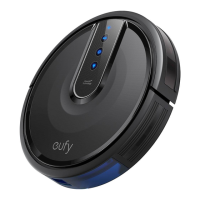
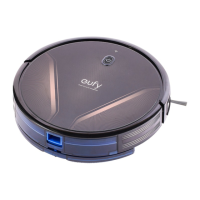
Anker Eufy RoboVac L70 Vacuum User Manual
USER MANUAL
Contents [ hide
1 Table of Contents
1.1 Important Safety Instructions
1.2 Notice
1.2.1 FCC Statement
1.2.2 RF Exposure Compliance Statement
1.2.3 ISED Compliance Statement
1.2.4 Declaration of Conformity
1.2.5 Trademark Notice
1.3 About Your RoboVac
1.3.1 What’s in the Box
1.4 RoboVac Anatomy
1.4.1 Top
1.4.2 Dust collector & Water tank
1.4.3 Side
1.4.4 Bottom
1.4.5 Mopping module
1.4.6 Charging Base
1.4.7 Suction Inlet
1.5 LED Indication
1.6 Map Navigation and Management
1.6.1 Navigation
1.6.2 Real-time Mapping & Floor plan
1.6.3 Relocalization & Remapping
1.7 Get Started
1.7.1 Important Tips Before Use
1.8 Preparation
1.9 Charge Your RoboVac
1.10 Auto Recharge and Resume
1.11 Using Your RoboVac
1.11.1 Turn on / off
1.11.2 Switch to Sleep Mode
1.11.3 Start cleaning
1.12 Use Your RoboVac with the EufyHome App
1.12.1 Before you start, make sure that:
1.12.2 Reset the Wi-Fi Connection
1.12.3 Schedule Cleaning
1.13 Select a Cleaning Mode
1.13.1 1. Auto cleaning
1.13.2 2. Spot cleaning
1.13.3 3. Zone cleaning (available via the app only)
1.13.4 4. Manual-controlled cleaning (available via the app only)
1.13.5 5. Select a Suction Power Level
1.13.6 6. Select BoostIQ™ feature
1.14 Use Mopping System
1.15 Use Your RoboVac with Amazon Alexa / the Google Assistant

 Need help?
 General

 To Next Page