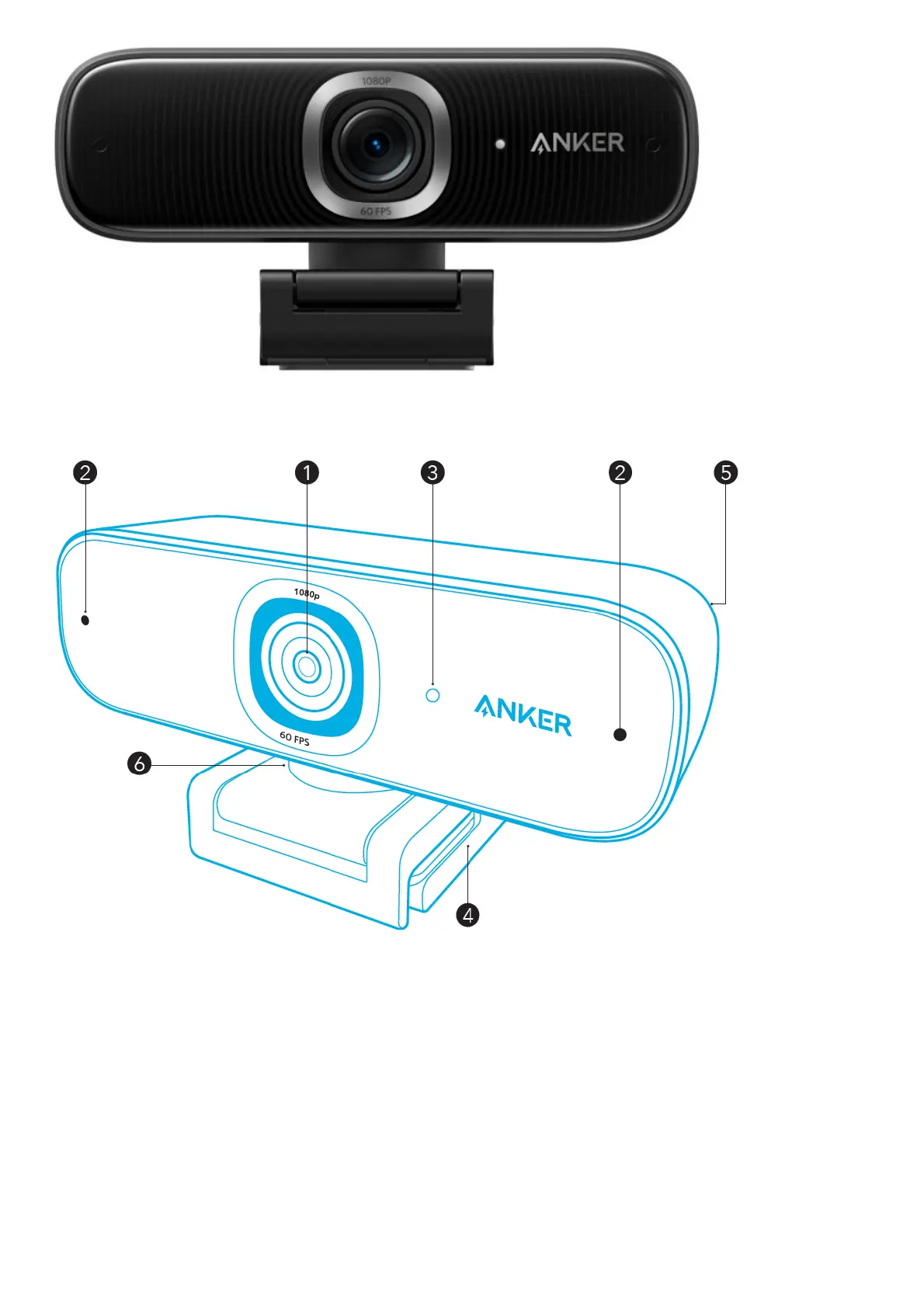
At a Glance
1. Autofocus full HD 1080P lens
2. Microphones
3. LED light
4. Adjustable clip/stand
5. USB-C port
6. Tripod thread (Tripod not provided)
Installing the Privacy Cover
Your webcam comes with two pieces of privacy cover. With the privacy cover installed, you can easily slide to cover
the lens when in need.
1. Remove the protection film from the back of the privacy cover.
2. Install the privacy cover on the front panel, making sure the cover is overlapped with the lens to avoid covering
the microphones and LED light.


 To Next Page