EN
08
Receive Mode (RX)
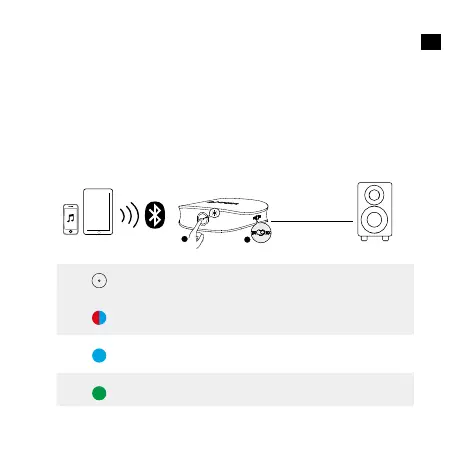
To enter Receive mode, turn the TX/RX switch to the RX position.
Connect your Soundsync to a non-Bluetooth headphone, speaker, or
car stereo etc. Via a 3.5mm audio cable. Then pair your Soundsync with
a Bluetooth-enabled smartphone or tablet via Bluetooth. The music
from your Bluetooth-enabled device then can be transmitted to the non-
Bluetooth headphone, speaker or car stereo etc.
AUX / SPDIF IN
RX Mode
1
2
x 2
Press twice
Enter/Exit Bluetooth pairing
mode (Receiver mode)
Flashing red and blue
alternately
Steady blue Connected to one device (RX
mode)
Steady green Connected to two devices


 To Next Page