2
14. Indicator Light
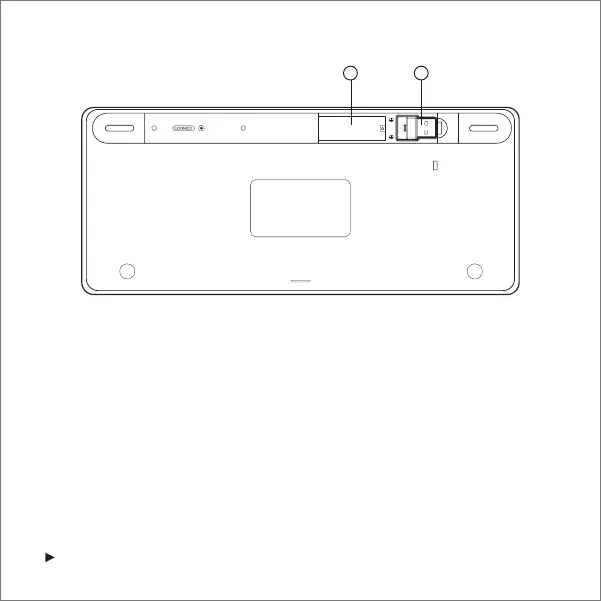
15. Battery Insertion Slot
16. USB Wireless Receiver
Setup Instructions
■
Find the battery cover on the back of the keyboard and take it off.
■
Insert two AAA batteries (not included).
■
Take out the USB wireless receiver and plug it into your computer’s USB port.
■
Replace the battery cover and you are ready to begin typing.
15 16



 To Next Page