EN 09 08 EN
Pairing Your Wireless Keyboard with
Your Devices
1. Slide the On/O button to turn on the keyboard. The power
indicator will turn solid blue for 3 seconds and turn o to save
power.
2. Press the Connect button on the keyboard. The Bluetooth
indicator will flash blue.
3. Enable your device’s Bluetooth function on your iOS/Android/
Windows device.
A list of Bluetooth devices available will be displayed.
4. Select “Anker Rechargeable Wireless Keyboard”.
The keyboard will be paired with your device successfully.
Pairing Your Wireless Keyboard with
Your Devices
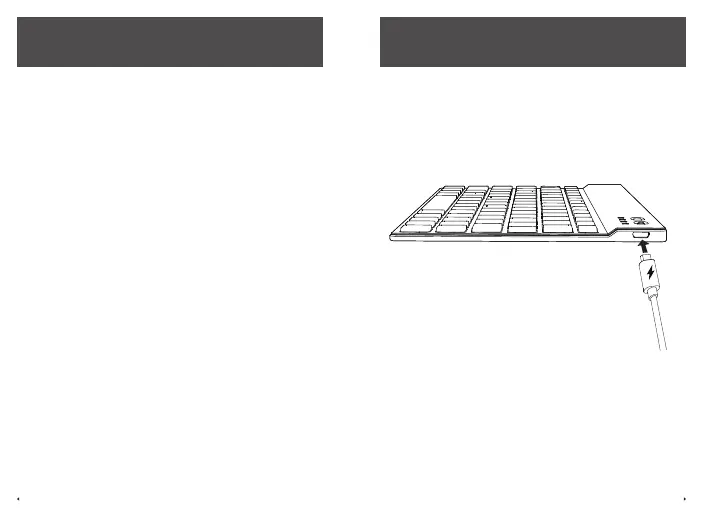
Plug one end of the provided cable into the keyboard and the
other into a power adapter (not provided).
Note: The cable is used for charging your keyboard only.



 To Next Page