EasyManua.ls Logo

anko 42848820 - User Manual

anko 42848820
5 pages
Print Icon
To Next Page IconTo Next Page
Loading...
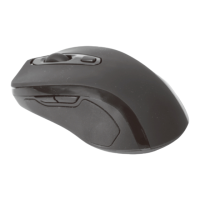
Wireless Mouse Black
Instruction Manual
Keycode: 42848820
P180203-3_Intra_42710882_20181120.indd 1 20/11/2018 1:30 PM
Question and Answer IconNeed help?

Do you have a question about the anko 42848820 and is the answer not in the manual?

Summary

Safety Instructions

General Safety Precautions

Read manual before use, keep for reference, use as intended, and avoid hazards like heat, water, and opening.

Device Handling

Use indoors only, keep away from hot surfaces, use on a stable surface, protect from environment.

Electrical Safety

Do not immerse in water, do not open housing, avoid electrostatic discharge or power surges.

Product Setup and Features

Product Overview

Diagram of mouse components including buttons, scroll wheel, CPI button, and battery compartment.

Inserting the Battery

Instructions for inserting 2x 1.5V AAA batteries, noting polarity and potential explosion risk if incorrect.

Notes on Batteries

Guidance on using quality batteries, handling leaks, removing for storage, and safe disposal of expired batteries.

Connecting the USB Receiver

Steps to connect the mouse via USB receiver, plug into computer, and switch ON for immediate use.

Changing CPI

Default CPI is 1200. Cycle through 1200, 1600, and 800 CPI by repeatedly pressing the CPI switch.

Usage and Maintenance

Power Saving Mode

Mouse enters power saving after 8 minutes of inactivity; reactivate by pressing any key.

Forward and Back Buttons

Navigate web pages or file paths; functions may vary by application, not available on Mac.

Care and Maintenance

Turn off the switch after use and wipe all parts with a dry soft cloth.

Warranty Information

12 Month Warranty

Kmart warrants product free from defects for 12 months from purchase, subject to terms and Australian Consumer Law.

Warranty Claims and Contact

Retain receipt, contact Customer Service for issues. Details for Australia and New Zealand provided.

Summary

Safety Instructions

General Safety Precautions

Read manual before use, keep for reference, use as intended, and avoid hazards like heat, water, and opening.

Device Handling

Use indoors only, keep away from hot surfaces, use on a stable surface, protect from environment.

Electrical Safety

Do not immerse in water, do not open housing, avoid electrostatic discharge or power surges.

Product Setup and Features

Product Overview

Diagram of mouse components including buttons, scroll wheel, CPI button, and battery compartment.

Inserting the Battery

Instructions for inserting 2x 1.5V AAA batteries, noting polarity and potential explosion risk if incorrect.

Notes on Batteries

Guidance on using quality batteries, handling leaks, removing for storage, and safe disposal of expired batteries.

Connecting the USB Receiver

Steps to connect the mouse via USB receiver, plug into computer, and switch ON for immediate use.

Changing CPI

Default CPI is 1200. Cycle through 1200, 1600, and 800 CPI by repeatedly pressing the CPI switch.

Usage and Maintenance

Power Saving Mode

Mouse enters power saving after 8 minutes of inactivity; reactivate by pressing any key.

Forward and Back Buttons

Navigate web pages or file paths; functions may vary by application, not available on Mac.

Care and Maintenance

Turn off the switch after use and wipe all parts with a dry soft cloth.

Warranty Information

12 Month Warranty

Kmart warrants product free from defects for 12 months from purchase, subject to terms and Australian Consumer Law.

Warranty Claims and Contact

Retain receipt, contact Customer Service for issues. Details for Australia and New Zealand provided.

Overview

This document describes the Anko Wireless Mouse Black, model Keycode: 42848820. It is an optical wireless mouse designed for general computer use.

Function Description

The Anko Wireless Mouse Black is a 2.4GHz wireless optical mouse that connects to a computer via a USB receiver. It features standard mouse functionalities including left-click, right-click, and a scroll wheel. Additionally, it includes "forward" and "back" buttons for easier navigation in web browsers or file paths, although these are noted as not available in Mac systems. The mouse also has a CPI (Counts Per Inch) switch to adjust sensitivity.

Important Technical Specifications

  • Connectivity: 2.4GHz wireless technology
  • Sensor Type: Optical
  • CPI Settings: 800, 1200 (default), 1600 CPI, adjustable via a dedicated CPI switch.
  • Working Distance: Up to 10 meters (without obstructions).
  • Power Source: 2 x 1.5V AAA batteries.
  • Compatibility: Supports Linux, Windows XP SP3 / VISTA 7/8/10, and Mac OS X 9.x or later.
  • Power Saving: Features a power-saving mode that activates after 8 minutes of inactivity, turning off the optical sensor to minimize power consumption. Reactivation occurs by pressing any key.

Usage Features

The mouse is designed for ease of use with a plug-and-play setup, requiring no drivers.

  • Battery Installation: To install batteries, the battery compartment cover is removed, and 2 x 1.5V AAA batteries are inserted according to the polarity diagram. The cover is then firmly replaced.
  • USB Receiver Connection: The USB receiver is stored within the mouse's compartment. It is removed and plugged into an available USB port on the computer.
  • Activation: The mouse is turned on using the ON/OFF switch. It automatically connects to the computer once the receiver is plugged in and the mouse is switched on.
  • Navigation Buttons: The "forward" and "back" buttons facilitate navigation in applications like internet browsers or file explorers.
  • CPI Adjustment: The CPI switch allows users to cycle through 800, 1200, and 1600 CPI settings to suit their preference for mouse sensitivity.

Maintenance Features

  • General Care: After use, the mouse should be switched OFF to conserve battery life. All parts can be wiped with a dry, soft cloth for cleaning.
  • Battery Management:
    • Only top-quality batteries should be used to prevent leakage and potential device damage.
    • If batteries leak, they should be removed with a cloth and disposed of properly. Contact with skin and eyes should be avoided; in case of contact, flush thoroughly with water and seek medical attention.
    • Batteries should be removed if the device will not be used for an extended period to prevent damage from leakage.
    • Batteries should be replaced when the device's functions weaken.
    • Expired batteries must be disposed of in an environmentally friendly manner according to legal regulations.
    • Batteries are hazardous if swallowed and should be kept away from children. Immediate medical attention is required if a battery is swallowed.
    • Batteries must not be recharged, activated by other means, dismantled, thrown into fire, or short-circuited.
    • The battery should be removed before disposing of the device.

Safety Instructions

Users are advised to read the instruction manual thoroughly before use and adhere to all safety instructions to prevent damage. The manual should be kept for future reference and passed on if the device is given to a third party.

  • Intended Use: The device is to be used solely for its intended purpose and only indoors.
  • Environmental Conditions: Keep the appliance away from hot surfaces, naked flames, extreme heat, cold, dust, direct sunlight, humidity, and drops or jets of water. It should always be placed on a level, stable, clean, and dry surface.
  • Liquid Contact: Do not immerse the appliance in water or other liquids.
  • Device Integrity: Do not open the housing under any circumstances or introduce any objects into its interior.
  • Malfunction: In case of malfunction due to electrostatic discharge or a short power surge, disconnect the mouse from the computer and then reconnect it.

This wireless mouse offers a practical and adjustable solution for computer navigation, emphasizing user convenience and battery longevity through its power-saving features.
anko 42848820 Specifications

General IconGeneral
Brandanko
Model42848820
CategoryMouse
LanguageEnglish

Related product manuals