Product Overview
Button Definition:
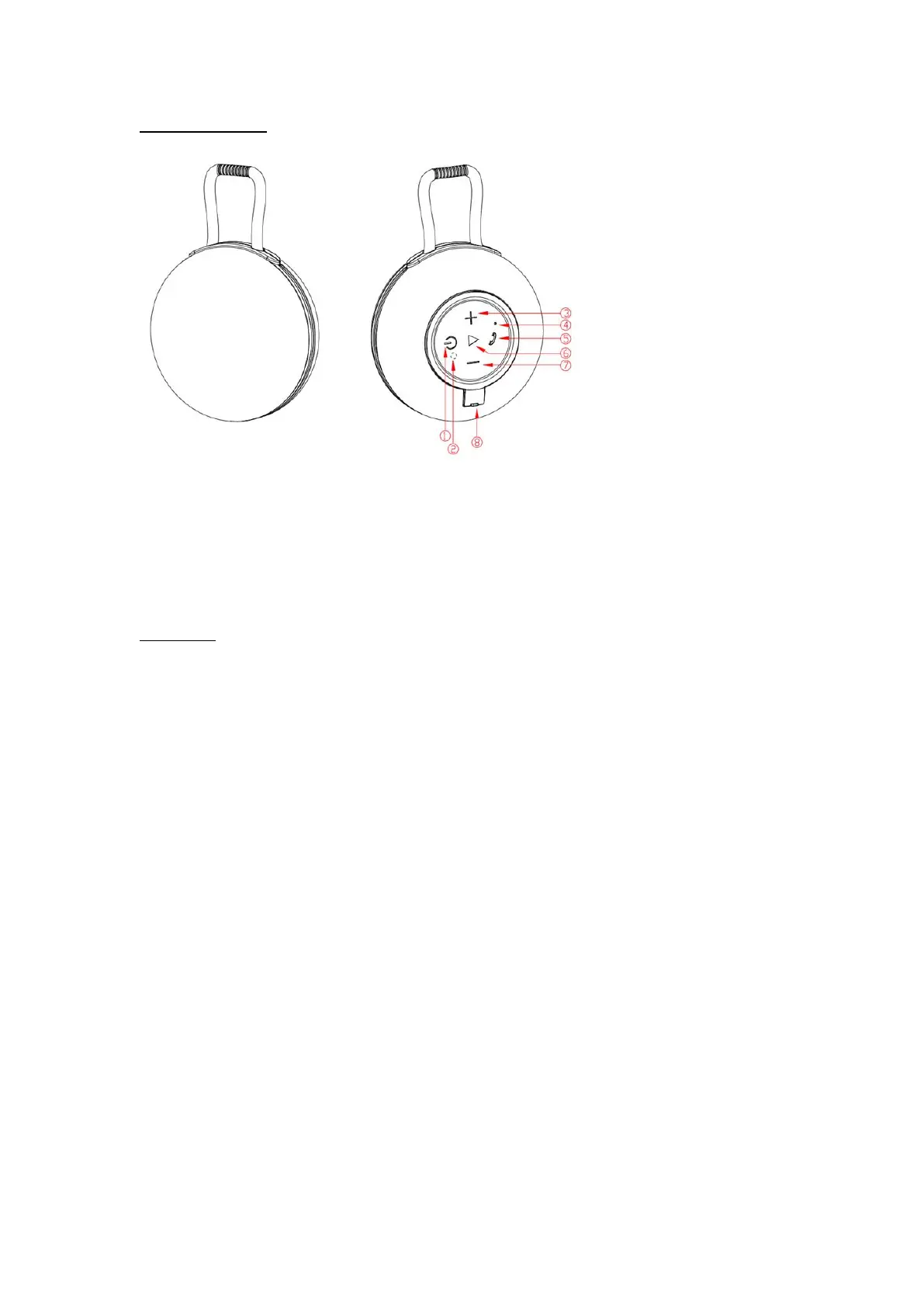
① On/off button ② Working LED/Charging LED
③ Next track/Volume up ④ Microphone ⑤ Phone button
⑥ Play/pause, Disconnect button ⑦ Last track/Volume down
⑧ Waterproof silicone cover for charging port protection
Operation:
1. Power on/off:
In the state of power off, long press “on/off” button 3s, when hearing an audio prompt,
Bluetooth® speaker is on and blue LED blink fast. In the state of power on, long press
“on/off” button 3s, when hearing another audio prompt, Bluetooth® speaker is off.
2. Bluetooth® connection
Turn on the Bluetooth® speaker and turn on the Bluetooth® function of your device that you
want to connect, after finishing please searching “KM42963561” or KM42963578 or
KM42976646 Bluetooth® speaker name, click to connect and when successfully connected, it
will have a prompt tone and blue LED light on. Restart the Bluetooth® speaker, it will
auto-connect the last connected Bluetooth® devices.
3. Music Play
A. When playing music, short press “play/pause” button, music will be paused, short press
again, music will be played again.
B. When playing music, short press “+ ” or “ - ” to play next or last song.
C. When playing music, long press “+ ” or “ - ” to increase or decrease volume, it will have
prompt tone to remind you of max volume.
4. Calling
A. When there is a incoming call, short press “phone button” to pick up phone call.
B. When on the phone calling, short press “phone button” to end up phone call.



 To Next Page