11 of 15
VS-CUBE-MANUAL-REV0.1
Tubing Installation - L400 Pump Heads
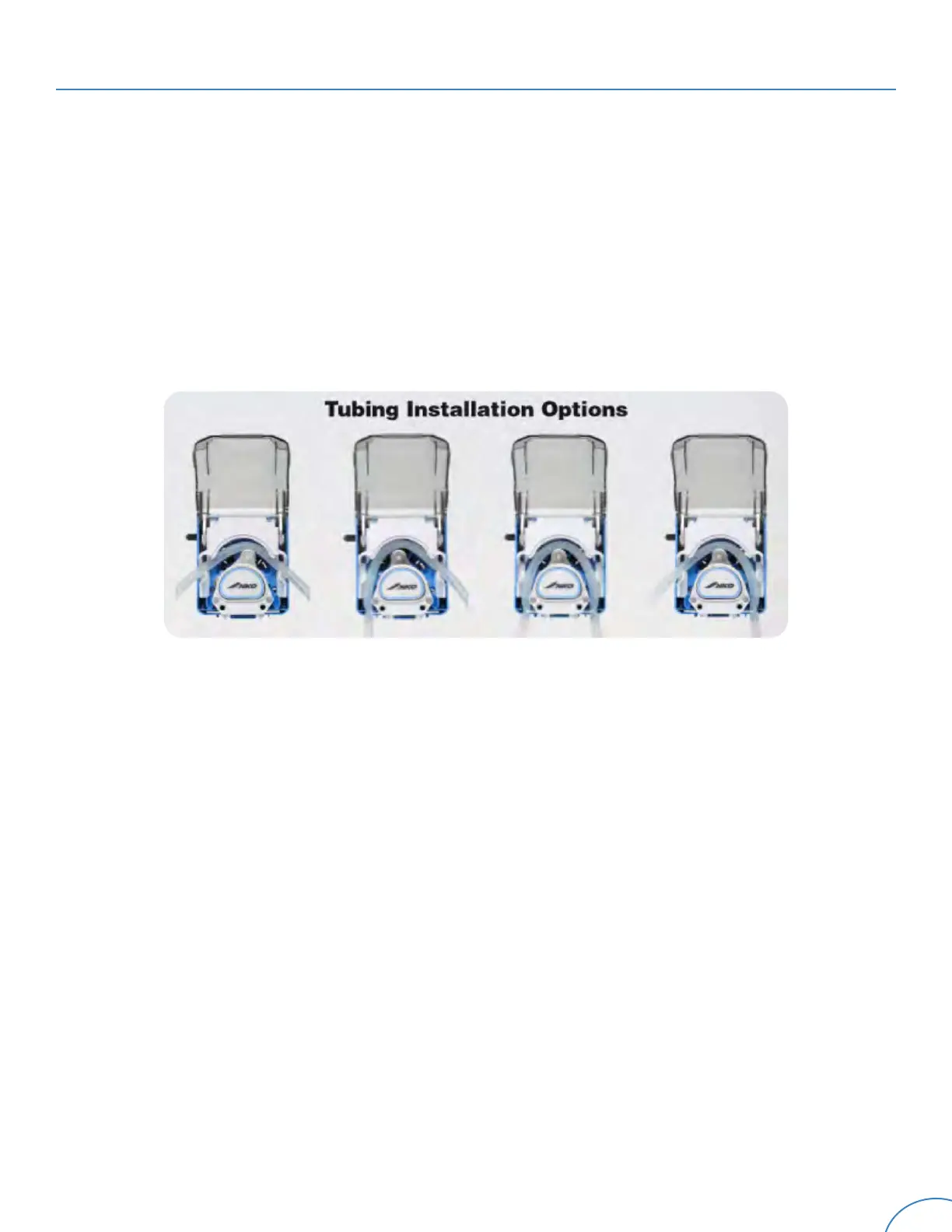
Step 1 - With the pump turned off, lift the front cover.
Step 2 - Insert tubing into the opening above the roller assembly and push to the rear of the
channel.
Step 3 - If using side-to-side tubing exit, simply close the cover to lock tubing in place.
Step 4 - If using bottom tubing exits, use spring-loaded retention clips in each channel to lock
tubing in place prior closing front cover.
5.2 Replacing the Tubing (Continued)
Tubing Removal - L400 Pump Heads
Step 1 - Disconnect the suction and discharge tubing from the pump tubing.
Step 2 - Lift the front cover.
Step 3 - If using side tubing exits, simply remove tubing.
Step 4 - If using bottom tubing exits, open the spring-loaded retention clamp and pull the tubing
out of each pump head channel.
Figure 7


 To Next Page