7 of 15
VS-CUBE-MANUAL-REV0.1
4.3 Remote Operations
Step 1 - With the 3-way toggle switch in the center position, power
the device using the included DC power cable. Connect to
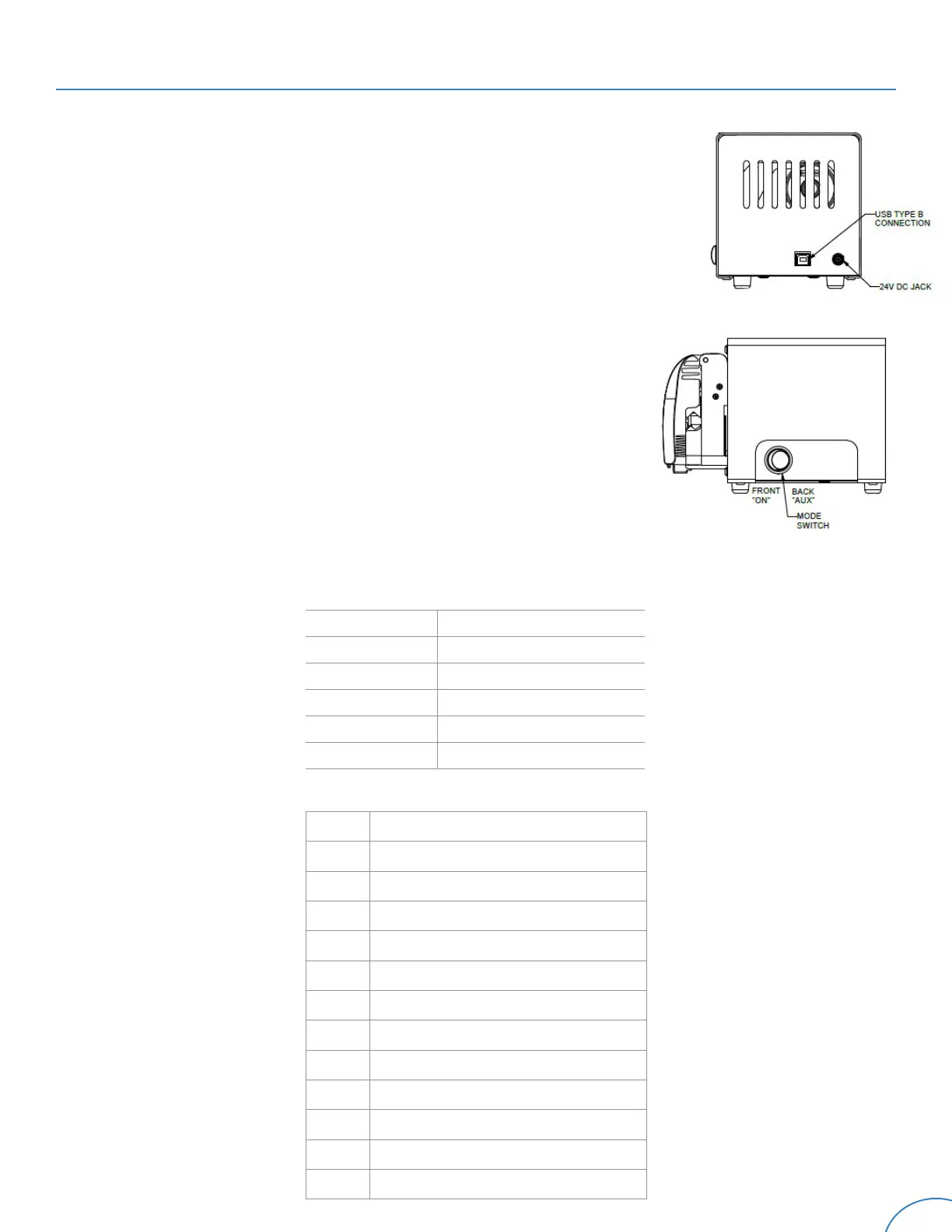
the pump with a USB-B cable (Figure 1).
Step 2 - With the 3-way power toggle, switch the device to the right
or remote management EXTERNAL/AUX position. (Figure
2)
Step 3 - If using a Windows
®
device, navigate to “Device Manager”
and locate your COM devices. Identify the COM name
associated with the serial device. It will appear with a
name such as “COM1”, “COM2”, or “COM3”.
Step 4 - Open a terminal emulator program that is compatible with
serial devices, such as PuTTY. If using PuTTY, navigate to
Session -> “Connection Type” -> Radio Button “Serial”. Do
not select Connections -> Serial.
Step 5 - Enter the COM name of the device under Serial Line. Input
the following settings, then open the connection.
Serial Control
Serial Settings
Speed 9600 baud
Data Bits 8
Stop Bits 1
Parity None
Flow Control None
Serial Line COM Name Ex: “COM1”
Step 7 - Type “?” in the console for your available commands:
G Take Control of the PWM Speed
g Release Control of the PWM Speed
+ Increase Speed by 1%
- Decrease Speed by 1%
Sx Set Speed by Number, x is 0 to 100
s Set Speed to 0
O Set Speed to last saved number
o Set Speed to 0 and save last speed
R Current Set Speed
r Sensed Speed
V
†
Clockwise Motor Direction
v
†
Counterclockwise Motor Direction
Q Unique ID Number
Figure 1
Figure 2
RL


 To Next Page
 Loading...