5
BASS ADJUSTMENT
Press the EX BASS button on unit to increase the bass effect, the EX logo will light up.
Press it again to turn the BASS effect off.
FLASHING LIGHT
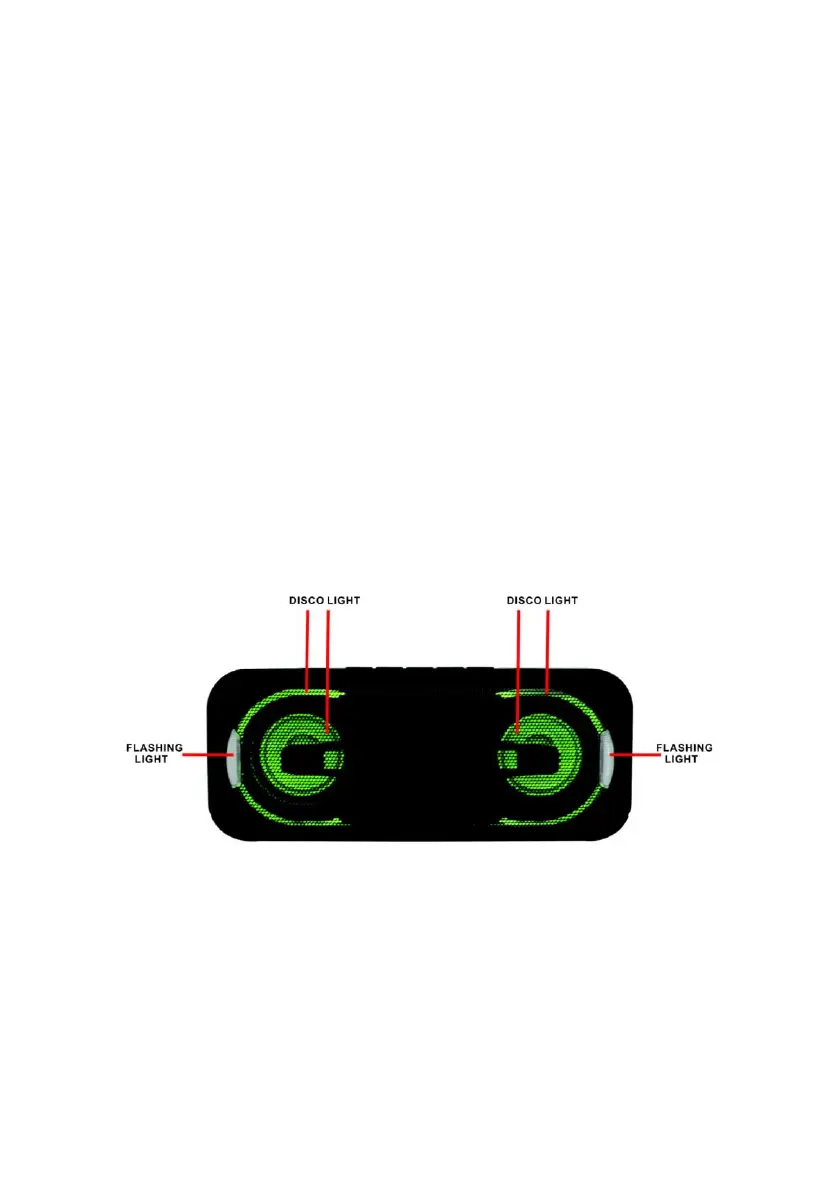
There are 9 flashing modes of the disco light, press the LIGHT button on unit to choose
the desired mode: “LIGHT 01” to “LIGHT 07” is 7 kind of individual color, “LIGHT 08” is
auto-changing between different colors in high speed, and “LIGHT 09” is auto-changing
between different colors smoothly. To turn off the disco light, press the LIGHT button on
the unit again.
There are two flashing light semicircles around the speakers, press and hold the LIGHT
button to turn off or turn on the light


 To Next Page