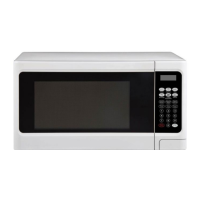
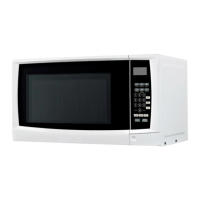
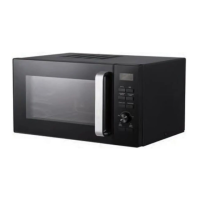
This document is the user manual for the Anko Microwave Oven, model P90J30AP-F1. It provides comprehensive instructions for safe operation, installation, usage, and maintenance of the appliance.
Function Description:
The Anko Microwave Oven is designed for heating, cooking, defrosting, and steaming food and beverages. It is intended for household use only and not for industrial or laboratory applications. The oven utilizes microwave energy to cook food efficiently. Key functions include:
- Microwave Cooking: Allows users to set specific cooking times and power levels for various foods.
- Auto Cook Menus: Provides instant settings for popular foods like baked potatoes, popcorn, pizza, beverages, frozen dinners, and reheating, simplifying the cooking process.
- Defrosting: Offers two defrosting modes: "Time Defrost" where the user sets the defrosting duration, and "Weight Defrost" where the oven automatically adjusts time and power based on the food's weight.
- Quick Start: Enables rapid cooking at full power for short durations (30 seconds increments or 1-6 minutes directly via number buttons).
- Multi-Stage Cooking: Supports programming up to two consecutive microwave cooking sequences, potentially with different power levels.
- Kitchen Timer: A separate timer function for general kitchen use, independent of cooking operations.
- Child Lock: A safety feature to prevent unsupervised operation by children, disabling all buttons when activated.
Important Technical Specifications:
- Model: P90J30AP-F1
- Power Input Consumption: 220-240V~50Hz, 1400W (microwave)
- Power Output Consumption: 900W
- Operation Frequency: 2450MHz
- Outside Dimensions: 283mm (H) × 534mm (W) × 388mm (D)
- Oven Cavity Dimensions: 236mm (H) × 369mm (W) × 372mm (D)
- Oven Capacity: 28 Litres
- Net Weight: Approx. 13.2 kg
Usage Features:
- Control Panel: Features a "MENU ACTION SCREEN" displaying cooking time, power, indicators, and current time. It includes dedicated buttons for "CLOCK," "TIME COOK," "KITCHEN TIMER," "TIME DEFROST," "WEIGHT DEFROST," "POWER LEVEL," "STOP/CLEAR," and "START/+30SEC," along with number buttons (0-9) for setting values.
- Clock Setting: Supports both 12-hour and 24-hour clock formats, selectable by pressing the CLOCK button.
- Power Levels: Offers 10 power levels (P-1 to P-10, with P-10 being 100% power) for precise cooking control.
- Defrosting Prompts: During defrosting, the oven will pause and beep to remind the user to turn the food over for even defrosting.
- Safety Interlocks: The oven is designed with safety interlocks to prevent operation when the door is open, emphasizing the importance of not tampering with these mechanisms.
- Utensil Guide: Provides a comprehensive guide on suitable cookware materials for microwave use, advising against metallic containers, recycled paper products with metal fragments, and recommending round/oval dishes for even cooking.
- Airflow Requirements: Requires specific clearance around the oven (20cm above, 10cm at back, 5cm at sides) for adequate air circulation to ensure correct operation.
- Door Safety: Emphasizes checking the door for damage (bent, broken hinges/latches, damaged seals) and not operating the oven if any damage is present.
Maintenance Features:
- Cleaning Instructions: Detailed guidance for cleaning the oven, including:
- Disconnecting power before cleaning.
- Wiping oven walls with a damp cloth and mild detergent for food splatters.
- Cleaning outside surfaces with a damp cloth.
- Regularly wiping the door, window, door seals, and adjacent parts with a damp cloth.
- Avoiding abrasive cleaners, spray cleaners, and steam cleaners.
- Cleaning the control panel with a soft, damp cloth, keeping the door open to prevent accidental activation.
- Wiping away steam accumulation on the door with a soft cloth.
- Removing and washing the glass tray in warm sudsy water or a dishwasher.
- Cleaning the roller ring and oven floor regularly to prevent excessive noise.
- Removing odors by microwaving a cup of water with lemon juice and skin.
- Light Bulb Replacement: Advises consulting a dealer for oven light replacement.
- Regular Maintenance: Stresses the importance of regular cleaning and removal of food deposits to prevent deterioration of surfaces and hazardous situations.
- Disposal Information: Instructs users not to dispose of the appliance in domestic rubbish bins but to recycle it responsibly, contacting local council waste management services for facilities.
- Repair Information: Explicitly states that any repairs, including changing the power cord or internal light globe, must be carried out by a qualified electrical person only. Users are warned against attempting to adjust or repair the oven themselves.
The manual also includes a 12-month warranty provided by Kmart Australia Ltd, covering defects in materials and workmanship, and outlines the process for warranty claims and customer service contact information for Australia and New Zealand.

 Need help?
 General

 To Next Page