Note: Make sure your phone connected to Wi-Fi
1. Download and Install the APP
Search Annke View in the Apple App Store or Google Play, and
install the App on your smart devices.
2. Power on the IP Camera
Plug in the power adapter to get it powered (No need of connecting
3. Get the Camera Connected to Wi-Fi(Three
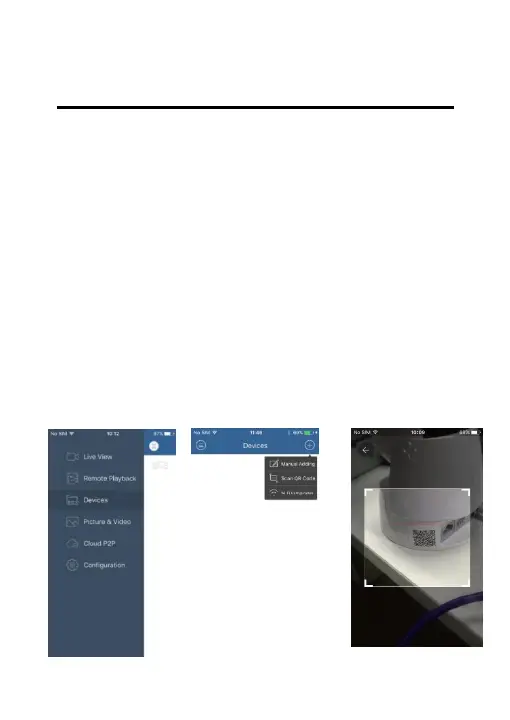
Please configure Wi-Fi as the following steps when your IP camera
stops turning after first power on(waiting about 2 minutes):
Select “Devices” Select “Wi-Fi Configuration” Scan QR code



 To Next Page