18
Anoa EX / EX+ User Manual Anoa EX / EX+ User Manual
19
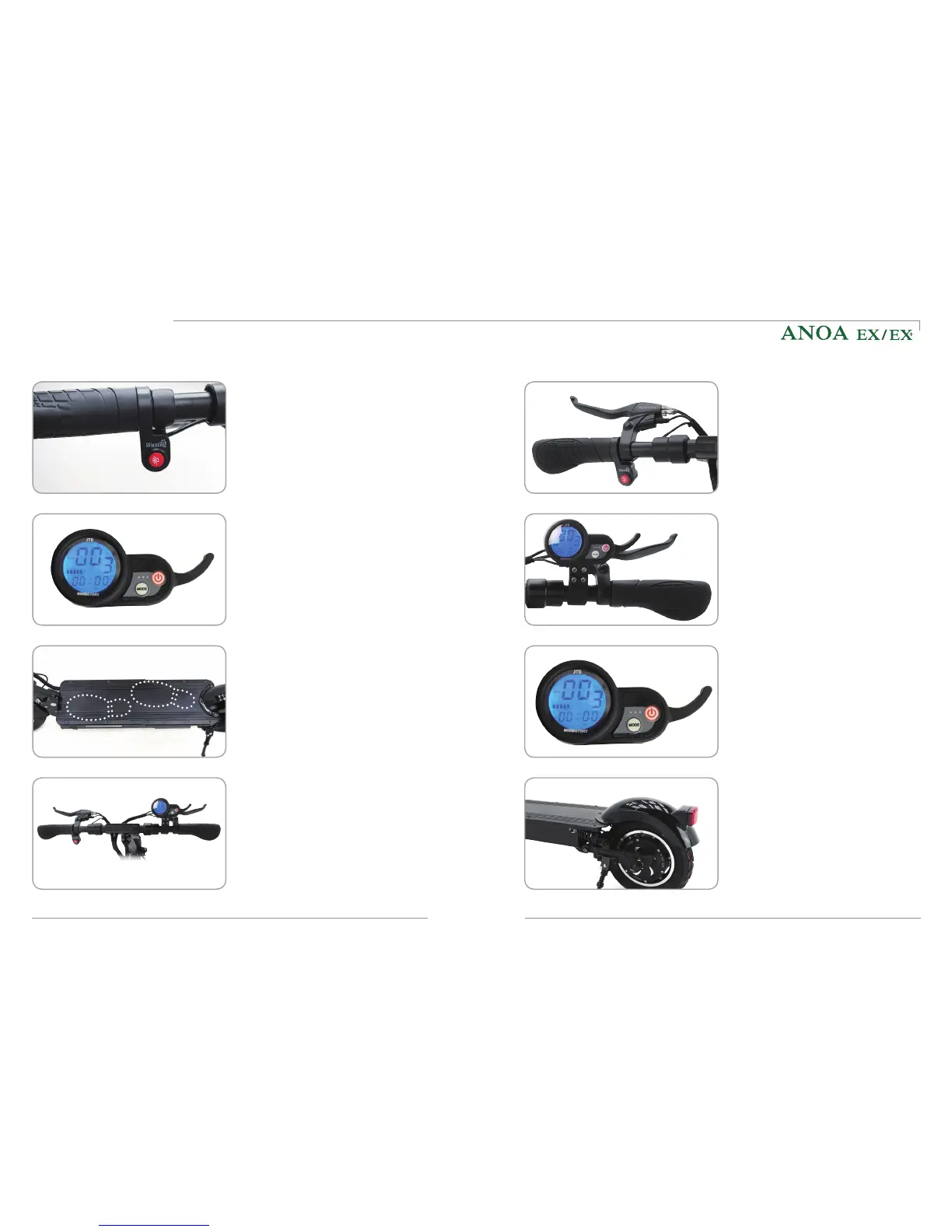
6) How to start
Press the power button on the
dashboard for two seconds to turn it
on. The speed mode can be altered
by pressing the power button once
and then using the MODE-button. To
confirm, press the power button again.
(2) Turning on the dashboard
If the light button is pressed before
the skutis is turned on, the dashboard
cannot be switched on. Hence, before
turning on the power, check that the
light button is not pressed.
(1) Turning on the main switch
Accelerate by using the throttle of the
dashboard. Decelerate and stop by
using the brakes on both handles.
(4) Acceleration and deceleration
(3) Stance for riding
After pivoting the kickstand up, find a
stable position on the deck and hold
the handle grip comfortably.
7) How to stop
Use the rear brake to decelerate
slowly. Be careful as there is a risk of
overturning when only the front brake
is applied while riding. The safest way
of decelerating is to use both brakes
simultaneously.
Always use the front and rear brake
levers together to stop smoothly and
safely after decelerating with the rear
brake.
Set whether to use the electric brake
and decide on the strength among
the detail functions of the dashboard
before use. The electric brake works
together with the brake lever of rear
brake, which increases the braking
power.
Be sure to check for any external
deterioration on the brake cables
(bending, disconnection, etc.) before
riding. Do not use your skutis if the
braking force drops considerably
and let the brakes be inspected and
repaired immediately.
(1) Decelerate with rear brake
(2) Stop safely
(3) Electric brake
(4) Check brakes regularly
How to use the product



 To Next Page