EasyManua.ls Logo

Anova A3.2-120V-US - User Manual

Anova A3.2-120V-US
3 pages
Print Icon
To Next Page IconTo Next Page
Loading...
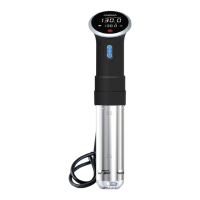
Anova Precision Cooker WI-FI
Connectivity Troubleshooting Guide
First things first, confirm you have a WI-FI + Bluetooth device. See
device label sticker for model number A3.2-120V-US.
To connect to WI-FI you will need to download the Anova app.
Android - Downloadable on Google Play Store
Apple - Downloadable on the Apple App Store
Before You try to connect make sure you:
1. You are using the latest version of the app.
2. Move your Precision Cooker WI-FI to within 5 feet/ 1.5 meters of your
router (not a wireless repeater) - This will speed up the connection process.
Don't worry - Once you successfully connect, you can unplug your
Precision Cooker WI-FI and move it anywhere you'd like!
3. Connect your Phone to your 2.4GHz WI-FI network - If you have two
network names with the same name - For example “My WIFI Name” and
“My WIFI Name-5G” - choose “My WIFI”. The Precision Cooker WI-FI
works best with a 2.4GHz connection.
4. Make sure your WI-FI password is between 8 and 18 characters and
doesn't have any special characters:! @ # $ % ^ & * ( ) { } [ ] ", . = + ~ ` _ <
> : ; | / ? \
Question and Answer IconNeed help?

Do you have a question about the Anova A3.2-120V-US and is the answer not in the manual?

Summary

Connecting Your Anova Cooker

Download the Anova App

Users must download the Anova app from Google Play Store or Apple App Store to connect.

Pre-Connection Checks

Ensure app is updated, device is near router, phone uses 2.4GHz Wi-Fi, and password meets criteria.

Troubleshooting Connection Issues

Initial Troubleshooting Steps

Steps include deleting app, restarting device, resetting Wi-Fi, and reinstalling the app.

Contact Support

If connection fails, contact support via email at support@anovaculinary.com for assistance.

Advanced Router Configurations

Unsupported and Recommended Settings

Avoid 'Enterprise' authentication; WPA2/WPAPSK with AES/TKIP encryption is recommended.

SSID Visibility and AP Isolation

Ensure SSID is visible and disable AP Isolation ('Client Isolation' or 'Guest Mode') for connectivity.

Anova A3.2-120V-US Specifications

General IconGeneral
ModelA3.2-120V-US
TypeElectric Pressure Cooker
Capacity6 Quarts
Voltage120V
MaterialStainless Steel
Control TypeDigital
Pressure SettingsHigh and Low
Cooking FunctionsPressure Cook, Slow Cook, Steam, Sauté, Keep Warm
Warranty1 year limited warranty