Cooking Sous Vide For The First Time: Set Up
STEP 1: SET UP YOUR COOK
1. Fill the pot/container with water. Make sure water level meets or exceeds the minimum
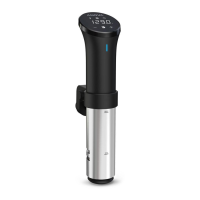
line and falls below the maximum line on the cooker's steel sleeve. More water works
well for longer cooks due to evaporation.
2. Make sure your cooker is plugged into an electrical outlet for power.
3. Open your Anova WI-FI App to set the temperature and time for your cook.*
4. Start the cook pressing "Start" via the app to preheat your water and begin your cook.*
*Alternatively you can set the temperature manually (rotate scroll wheel) and press the start
button on the device.
ANOVA PRECISION COOKER WI-FI USER MANUAL 2015 | PAGE 5


 To Next Page