Confirming Signal 1/2
Checking Spectrum: Span Setting
Use the signal analyzer to check the spectrum of the target signal.
Switching signal analyzer mode
> [Application Switch]
> [F2: Signal Analyzer] *The application button layout may change arbitrarily.
Executing preset
> [Preset]
> [F1: Preset]
Setting frequency (Example: 400 MHz) *Set to the center frequency of the target signal.
> [Frequency]
> [F1: Center] = [400] [F2: MHz]
Setting span (Example: 100 kHz) *Set to the observed full span of the entire target signal spectrum
> [Span] = [100] [F3: kHz] *This can be set using the Up and Down keys.
Setting sub-trace screen *Power vs Time is displayed at the bottom of the screen.
> [Trace]
> [F8: Sub Trace Setting]
> [F1: Trace Mode]
> [F2: Power vs Time]
Setting analysis time (Example: 100 ms) *Set a longer time than the target signal burst period. (Example: 40
ms × 2 + margin)
> [Time/Sweep]
> [F3: Time Length] = [100] [F2: ms] *This can be set using the Up and Down keys.
Setting trace (Example: Positive)
> [Trace]
> [F7: Time Detection] =Select “Positive” [F7: Set]
Adjusting reference level
> [Amplitude]
> [F1: Reference Level] *Adjust so that the “Level Over” warning dialog is not displayed. *This can be set using
the Up and Down keys.
*Aim to set so there is about one scale of empty space above the spectrum.
Setting Marker to OFF
> [Marker]
> [F5: Off]
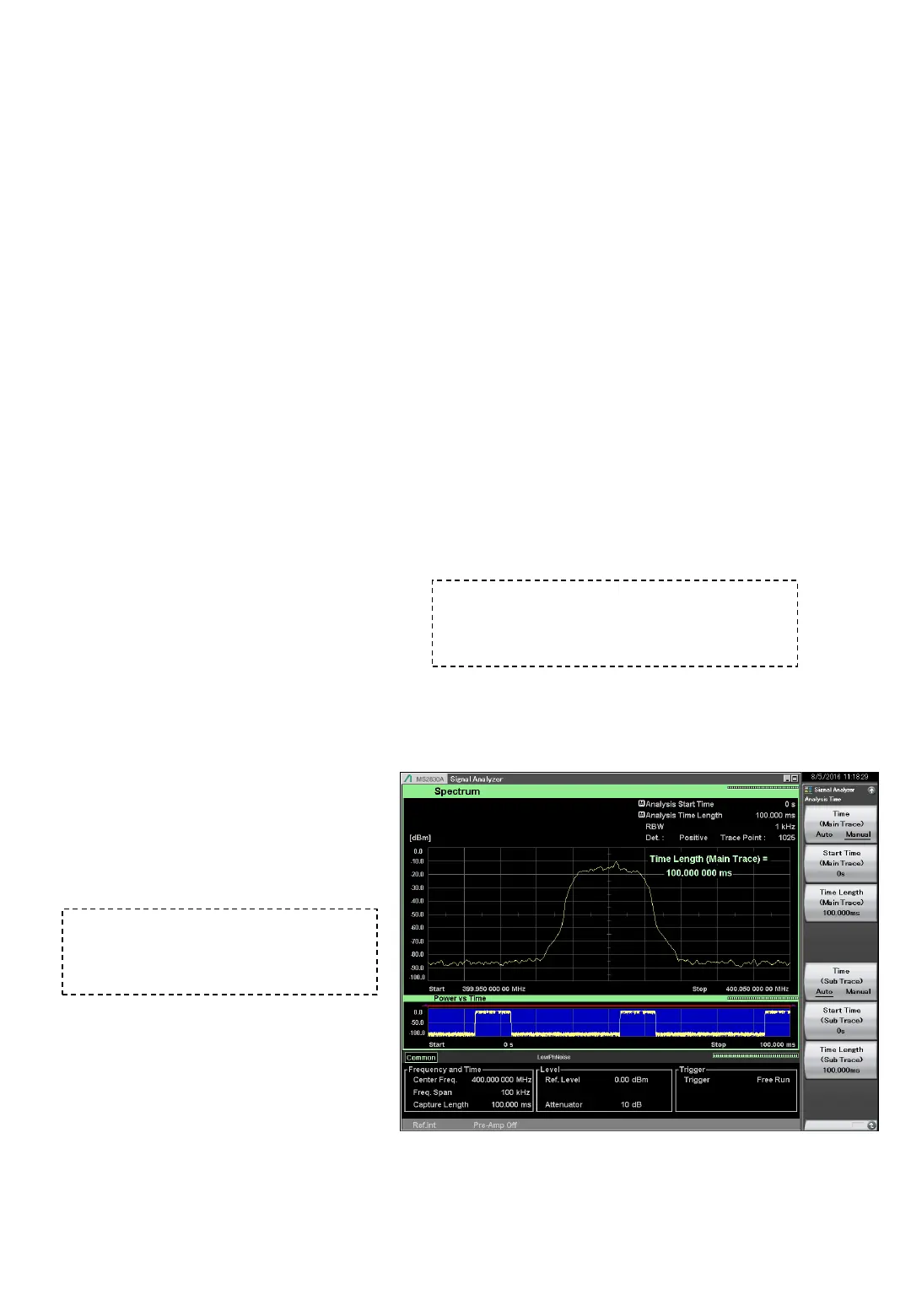
Example of Spectrum Confirmation Screen
When the confirmation target is a burst signal,
set Trace to Positive and set the analysis time
to longer than the burst period to confirm the
spectrum during the On period.
Confirm that the Frequency Span
setting is about twice the channel width
or twice the spectrum waveform. If it is
not, adjust Span to the optimum setting.












 To Next Page