NOTE: It is recommended that Windows NT 4.0 users install NT 4.0 Service
Pack 3 (SP3) or above. In addition, Windows 2000 and Windows ME may re
-
quire installation of the latest Service Pack. Please contact Microsoft Corpora
-
tion for further information on obtaining and installing service packs.
Installation
To install the Handheld Software Tools program:
Step1. Insert the Anritsu Handheld Software Tools disk in the CDROM drive.
Step2.
From the Windows Start menu, select Run.
Step3.
Type: X:\Setup.exe where X is the drive letter of your CDROM drive.
Step4.
When prompted, press the Enter key to accept the default directory C:\Program
Files\ Software Tools and the installation will begin.
The readme.doc file on the disk provides updated information about the program, and the
Help function provides detailed operating information.
Communication Port Setting
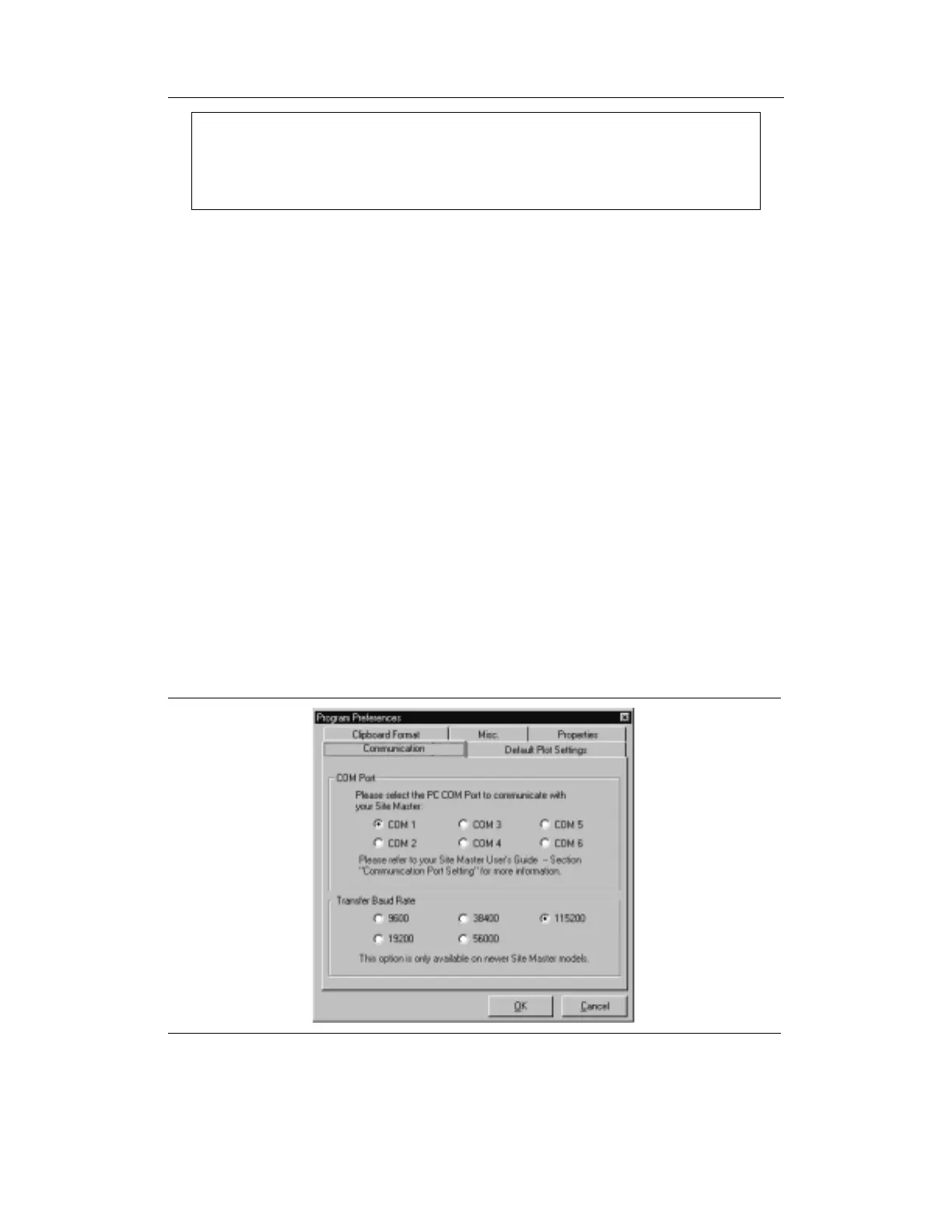
The Handheld Software Tools communicates with the instrument through a standard serial
COM port on the PC. Set the baud rate of the COM port to 115200.
Step1.
Select Start, Programs and select Software Tools.
Step2.
When the program has loaded, select Settings, Communication.
Step3. Select the appropriate PC COM port and Transfer Baud Rate for your system,
and click OK. (For the optional USB Adapter Cable (551-1691) set the COM
port to COM 4, and the baud rate to 38400.)
10-2
Chapter 10 Handheld Software Tools Program
Figure 10-1. Communication Setting Dialog Box







 To Next Page