Start Timer
When the heater is in the Stand-by mode, press the Timer button on
the control panel or on the remote to set the desired number of hours after
which you want the heater to be started. You can set a value between 1-
24 hours by pressing the and button to increase and
decrease the timer by 1 hour respectively. To cancel the Timer, press the
power button twice. The timer can only be operated in increments or
decrements of hours.
NOTE:
• You can check the timer duration anytime by pressing the Timer button
The timer will only display the time in hours and not minutes.
• The memory function will not retain the last used timer settings.
CHILD LOCK SETTING
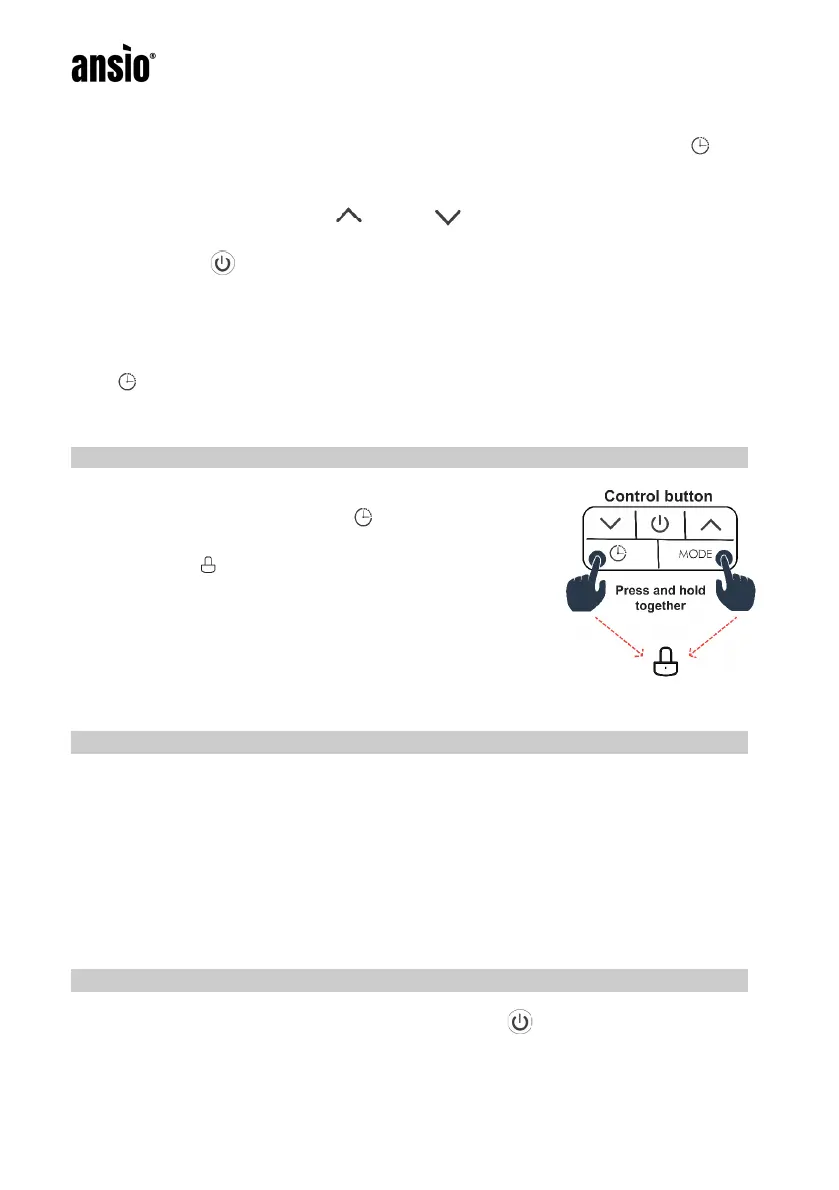
To turn the child lock setting ON, Press the MODE
button and the Timer button together for a few
seconds. The child lock setting will turn ON and a
lock symbol will be displayed.
NOTE:
• When the heater is turned OFF or after a power
failure, the child lock setting will be turned OFF.
• Child Lock cannot be activated using the
Remote.
MEMORY FUNCTION
When the heater is turned OFF and turned back ON again, the heater will
retain the last used settings.
NOTE:
• When you turn the heater ON for the first time, the heater will start with
a high-power mode at 35˚C automatically.
• The Memory function does not retain the last used Timer setting if the
heater is turned OFF and turned back ON.
TURNING THE HEATER OFF
To turn the heater OFF, press the power button to switch OFF. Turn the
black switch found at the side of the heater OFF and pull out the plug from
the mains.


 To Next Page