52
HOW TO USE
FAN ADJUSTMENT
The fan is adjusted at the factory and ready
to use. It does not normally need adjusting.
Follow the instructions under RESET OF
FACTORY SETTINGS if want change the fan
settings. The factory settings can be reset at
any time.
Factory settings
Air ow in SLEEP mode 0 m³/h
Air ow in 24 HOURS mode (Ø 125/Ø 100)
40/33 m³/h
Air ow in QUIET mode (Ø 125/Ø 100)
83/72 m³/h
Air ow in MAXIMAL mode (Ø 125/Ø 100)
97/82 m³/h
Dehumidication mode MAXIMAL
Delayed start 0 min
Stop delay 5 min
Humidity timer 30 min
24 HOURS Deactivated
CONTROL PANEL
A. Adjusting dehumidication mode.
B. Adjusting the start/stop delay.
C. Adjusting the speed for QUIET and
MAXIMAL mode.
D. Adjusting delayed start.
E. Activation/deactivation of 24 HOURS
mode.
F. The button does not function on this
model.
FIG. 9
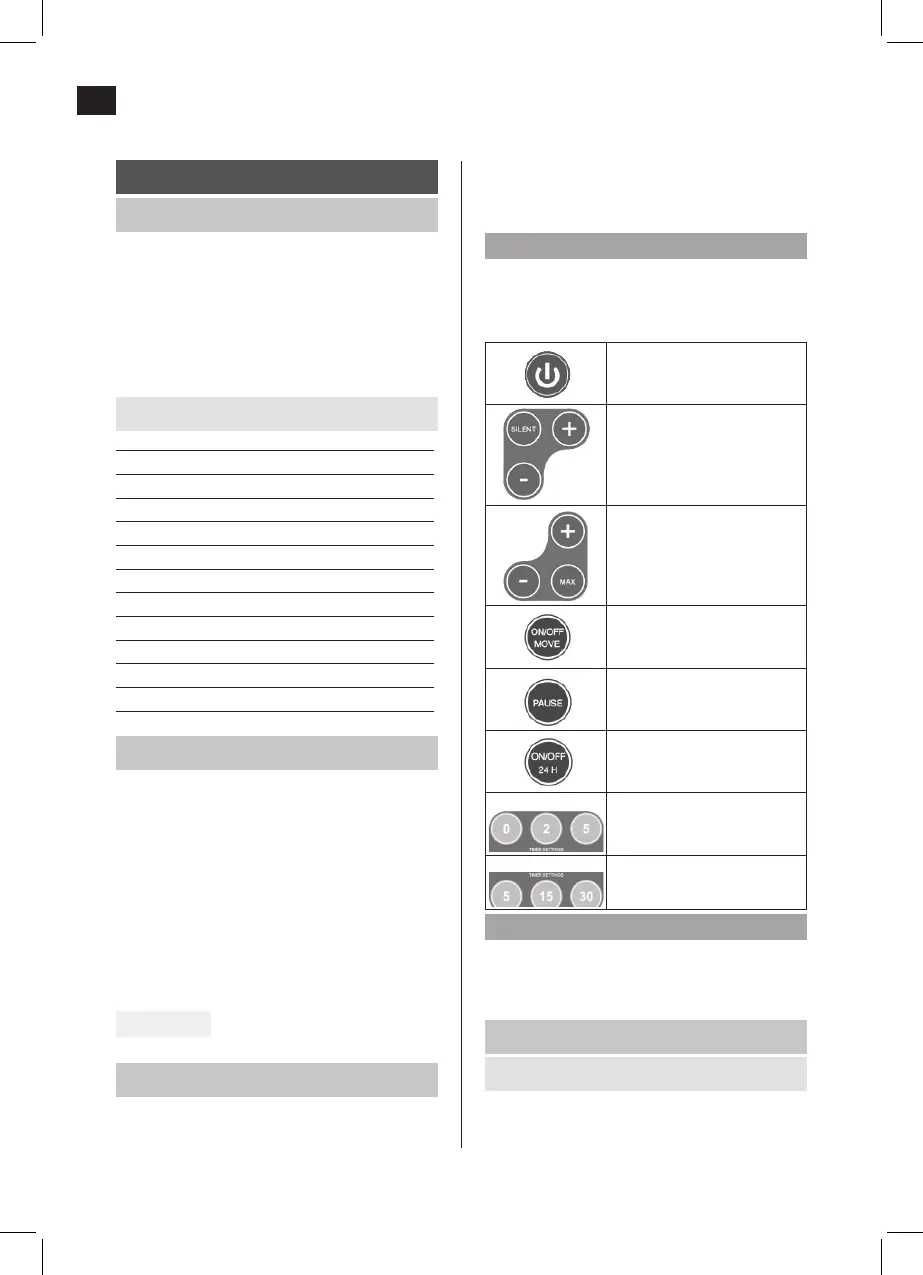
REMOTE CONTROL
The fan emits an audio prompt when it
receives a signal from the remote control. If
no audio prompt is heard, press the required
button again. Move the remote control closer
to the fan, if necessary.
NOTE:
The maximum range is about 3 metres. Point
the remote control straight at the fan for best
functionality.
On/O
Selection of
dehumidication mode
and adjusting the speed
for QUIET mode.
Selection of mode for
maximal dehumidication
and adjusting the speed
for MAXIMAL mode
Does not function on this
model.
Activation/deactivation of
pause mode.
Activation/deactivation of
24 HOURS mode.
Adjusting the start delay
(0, 2 or 5 minutes).
Adjusting the stop delay
(5, 15 or 30 minutes).
NOTE:
The buttons TEMPERATURE SETTINGS +/- and
ON/OFF MOVE do not function on this model.
FAN MODE STATUS
External switch activated
– Green LED constant.


 To Next Page