Need help?
Do you have a question about the ANTAIRA Lanolinx LNX-1002GN and is the answer not in the manual?
Details system performance, power, VLAN, QoS, and port mirroring capabilities.
Lists all items included in the product package for verification.
Specifies the physical size (W x D x H) of the industrial switch.
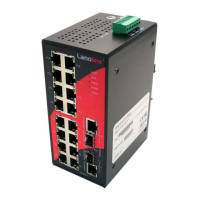
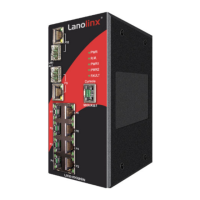
Describes the components and layout of the switch's front panel.
Details the terminal block connector for DC power inputs on the bottom.
Explains the meaning and status of each diagnostic LED on the switch.
Describes RJ-45 and Mini GBIC/Gigabit combo ports and their pin assignments.
Provides guidance on using Category 5 and fiber optic cables for connections.
Step-by-step instructions for connecting DC power wires to the terminal block.
Explains how to wire the fault alarm contact for power or port failure detection.
Guidance on installing the switch using DIN-Rail or wall mount plates.
General steps for installing the industrial switch, including unpacking and connection.
Explains the Xtreme Ring protocol for fast network recovery and reliability.
Describes how to connect multiple Xtreme Ring groups for redundant backup.
Details preventing connection loss between Xtreme Ring groups and core switches.
How to connect a PC or terminal to the switch's console port using a specific cable.
Steps to log into the switch's console interface via a terminal emulation program.
Overview of using Command Line Interface (CLI) commands for system management.
Explains different command modes (User EXEC, Privileged EXEC, Global Configuration).
A comprehensive list of system commands with descriptions and examples.
Introduces the embedded HTML website for managing the switch via a web browser.
Lists default IP, subnet mask, username, and password for web access.
Step-by-step guide to access the switch's web interface using a browser.
Overview of the main interface displayed after logging into the web management.
How to assign system name, location, and view firmware/kernel versions.
Configuration for enabling or disabling the DHCP client function on the switch.
Assigning the IP address, subnet mask, gateway, and DNS settings.
Setting up the switch as a DHCP server with IP address range configuration.
Displays DHCP client information collected by the system when the server is active.
Assigning specific IP addresses to ports for dynamic IP assignment.
Instructions for updating the switch firmware using a TFTP server.
Steps to restore the switch's configuration from a TFTP server.
How to save the current switch configuration to a TFTP server.
Configuring system event logging modes and the Syslog server IP address.
Setting up email alerts for system events, including mail server and account details.
Selecting system events and port events for logging to Syslog or SMTP.
Enabling FAULT LED indication for power failure or port link down events.
Configuring SNTP settings for synchronizing switch clocks with Internet time servers.
Allowing specific IP addresses to access the switch via web or telnet.
Changing the web management login username and password for security.
Displays detailed statistics for each port, including good/bad packets and collisions.
Configuring port status, negotiation, speed, duplex, and security settings.
Setting up Link Aggregation Control Protocol (LACP) for trunk groups.
Displays information about the configured trunk groups and LACP status.
Configuring the active or passive state for ports in LACP aggregation.
Configuring port mirroring to monitor traffic by duplicating it to a destination port.
Setting bandwidth rates and frame limitation types for ingress and egress traffic.
Overview of Virtual LANs, supporting port-based and 802.1Q tagged VLANs.
Configuring port-based VLANs to group ports logically.
Details on setting up 802.1Q tagged VLANs and GVRP protocol.
Configuring RSTP mode, priority, max age, hello time, and forward delay.
Configuring path cost, priority, P2P, and edge settings for each port.
Selecting QoS policy rules and priority types (Port-based, COS, TOS).
Configuring priority levels for each port.
Setting up Class of Service (COS) priority levels.
Configuring Type of Service (TOS) priority levels.
Defining community strings and selecting the SNMP agent mode (v1, v2c, v3).
Setting up trap managers to receive system alerts from the switch.
Configuring SNMPv3 features including context tables, user profiles, and access tables.
Enabling IGMP protocol and query function for multicast traffic management.
Enabling Xtreme Ring, setting master, ring ports, and coupling ring functions.
Configuring 802.1x protocol, RADIUS server IP, ports, and shared key.
Setting the authentication state (Disable, Accept, Reject, Authorize) for each port.
Adding, modifying, or deleting static MAC addresses for port security.
Filtering MAC addresses to enhance network safety and security.
Viewing connected device MAC addresses and clearing static MAC information.
Resetting the switch to its default configuration settings.
Saving the current system configurations to flash memory.
Performing a software reset to reboot the switch.
Provides common troubleshooting steps and solutions for issues like power and LEDs.
Lists various technical specifications including standards, protocols, and physical attributes.
 General
| Switching Fabric/Capacity | 20 Gbps |
|---|---|
| MAC Address Table | 8K |
| Packet Buffer Memory | 1.5MB |
| Humidity | 5% to 95% (Non-condensing) |
| Ports | 8 x 10/100/1000Tx + 2 x 100/1000 SFP slots |
| Operating Temperature | -10°C to 70°C |
| Power Input | 12 to 48 VDC |
| Mounting Type | DIN-Rail, Wall |
| Housing | IP30 |
| Jumbo Frame | 9K |
| Storage Temperature | -40°C to 85°C |
| Certifications | CE, FCC, UL |

 To Next Page