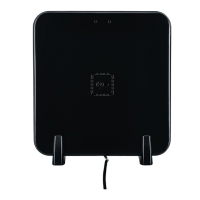
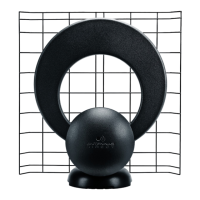
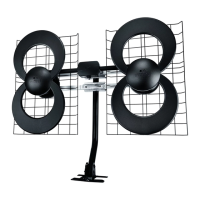
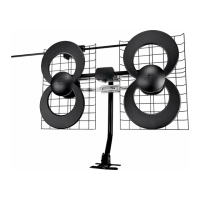
CLEARSTREAM™ MAX-XR COMPLETE
HDTV HDTV
HDTV
3-WAY SPLIT TER
5-900 MHz
3-WAY SPLITTER
5-900 MHz
Now that you’ve installed your antenna, you are ready to scan for
channels. See “Scanning for channels” in the troubleshooting guide.
Congratulations! You’re watching HDTV for FREE!
Welcome to the Antennas Direct cord-cutting family.
15
16
17
18
17
18
17
10
9
12
13
15
1) Antenna Element
2) VHF Dipoles
3) 2 - Dipole Fasteners
4) Antenna Base with Short Tube
5) 60mm Bolt
6) 30mm Bolt
7) U-Bolt and Wing Nuts
8) Mast Clamp and Back Plate
9) Mast
10) Mast End Cap
11) 2 - 40mm Hex Bolts and Nuts
12) 4 - 50mm Screws
13) Mount Base
14) 4 - Sealing Pads
15) 3-Way Splitter
16) 30 . Coaxial Cable
17) Jolt Switch 18 dB In-Line Amplifier
with Coaxial Cable and 6 . USB Cable
18) USB Power Adapter (style may vary)
READ BEFORE INSTALLATION:
Before permanently attaching the antenna to any surface, TEST RECEPTION in that area. Connect the antenna to the TV or converter box and run a full channel scan. If reception is not as desired,
move the antenna and rescan for the available channels.
IMPORTANT: CHECK THE RECEPTION IN THE LOCATION WHERE YOU INTEND TO INSTALL THE ANTENNA PRIOR TO ATTACHING THE MAST TO ANY SURFACE.
NOTE: You must use the 30 . Coaxial
Cable (16) between the antenna and the
amplifier. You cannot attach the male
connector on the amplifier’s coaxial cable
to the antenna or the antenna and
amplifier will not work.
The Jolt Switch gives you control in real time
when managing your TV signals. The simple
ON/OFF switch allows you to bypass
amplification when a TV channel doesn’t need
it. The amplifier arrives in the ON position,
increasing TV signals for a clearer picture and
sound. When the switch is OFF, easily bypass
the amplifier while signals are still being
filtered from cellular and FM interference.
Certain TV signals may be strong enough
that an amplifier is not necessary. If a
channel is distorted or pixelated when the
amplifier is ON, it may be over-amplified.
Toggle the switch to the OFF position. You do
not need to rescan your TV for channels unless
you reposition or reconnect your antenna.
1
2
3
4
5
6
7
FRONT VIEW
9
10
11
12
13
14
8
1
2
2
3
Connect the 2pc Dipoles (2).
Dipole Fasteners (3) will snap into place.
1
4
5
6
7
7
7
8
8
8
Make sure the front of
the antenna is facing the
broadcast towers.
Before assembling the Antenna Base (4) to the Antenna Element (1) make sure the Short Tube is inside the Antenna Base (4).
Before installing
the antenna on the
Mast (9), adjust the
Mast so it is in a
vertical position.
You will need to
adjust the antenna
aer it is mounted
for the best
reception.
To Antenna
To Splitter
USB Cable to
Power Supply
Mark the Mount Base (13) position on the
desired surface and drill pilot holes, 1 ½”
deep, for each of the 50mm Screws (12).
Place the Sealing Pads (14) over the pilot
holes, and the Mount Base (13) on top of
the Sealing Pads.
EX: VERTICAL MOUNT
13
14
12
NOTE: Mast is designed to pivot for vertical
or horizontal surfaces.
TV RECEPTION CAN BE AFFECTED BY OBSTRUCTIONS OR DISTANCE
BETWEEN YOUR HOME AND BROADCAST TOWERS.
Call us toll-free for technical assistance at 1-877-825-5572
or contact support@antennasdirect.com
FIND TV CHANNELS, AIM YOUR ANTENNA
DOWNLOAD OUR FREE APP

 Need help?
 General

 To Next Page