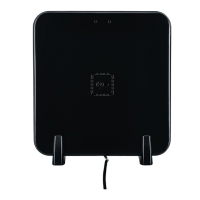
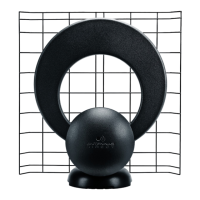
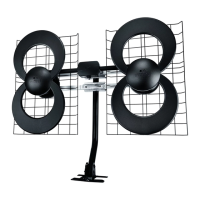
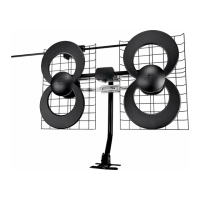
Outdoor Antenna
Installations
Congratulations! Your new antenna will give you the best possible digital and HD picture quality (yes, even better than cable or satellite). Today, local digital
TV (DTV)—including HDTV—is available over the air using this antenna. Over-the-air signals are not compressed like cable or satellite transmissions and
THEY’RE FREE! Here are a few simple tips to make the installation as easy as possible and optimize the performance of your new antenna.
While your new antenna will allow you to receive local over-the-air (OTA) digital TV stations, it will not provide cable or satellite channels. After local OTA
signals are received by your antenna, the digital signals must be decoded, so your DTV set can display a digital picture.
To watch true HDTV, you must have:
• Programming originating (produced) and broadcast in HDTV (Not all programming from your local station or cable or satellite
channels is broadcast in HD - consult your local programming guide)
• An HDTV tuner (receiver)
• An HDTV monitor (display).
There are currently 3 ways to decode these local DTV stations utilizing this antenna:
1. An HDTV set with a built in digital tuner. Most TVs sold after 2007 will have these built in. If the owner’s manual does not specically
state a digital tuner is included, you will need to purchase an ATSC set top box.
2. An over-the-air digital tuner (Often called a set-top box).
3. An HD satellite tuner. Both Dish Network® and DIRECTV® offer HDTV satellite receivers with the over-the-air digital tuner built-in.
Please note that once the antenna is mounted and plugged into the appropriate source on your DTV or digital tuner, you will need to perform a
channel scan. If the antenna is moved, an additional channel scan must be performed again to assure correct alignment.
Installation Tips
1. Mount the antenna on your rooftop for optimal performance. The antenna may be installed in an attic, but this may cause loss of signal
strength. Face the front of the antenna towards the transmitting towers. Don’t know where your towers are?
Visit www.antennapoint.com.
2. Once the antenna is mounted and the cable is connected you are ready to run the cable to your digital tuner, HD satellite receiver or
digital TV (Note: shorter cables runs are better).
3. Perform the channel scan after installing or relocating your antenna—consult your TV manual for instructions.
4. Avoid using an antenna mounted amplier in urban areas.
5. Seal all outdoor connections, especially at the antenna, with a waterproof sealant. Humidity in the atmosphere, can for water droplets
and corrode your connections.
Fact: Most of the DTV/HDTV antennas returned to us are in perfect working order, but are returned because of faulty installation techniques.
Troubleshooting Tips:
If your signal is weak, check the length of your cable run (the shorter the better) and remove any splitters or diplexers. Check all connectors/junctions for
secure t or corrosion. If your cable run must be longer than 75 feet, or you must use a splitter, consider a pre-amplier-- http://www.antennasdirect.com/
antenna_amplier.html. Experimentation with antenna location often resolves problems. Try moving your antenna to different attic/roof locations.
If you believe your installation is correct, and you still cannot receive any DTV signals, there may be issues with your digital tuner. Faulty decoding chips or
bad rmware can affect sensitivity making it difcult to tune DTV stations.
Digital Signals are “Line-of-Sight”
Line-of-Sight means that DTV signals
cannot pass through objects, so elevate the
antenna to clear any obstacles between you
and the transmitting towers. REMEMBER:
HIGHER IS BETTER!
Signal received direct
from transmitter
Signal received via
reection o hill

 Need help?
 General

 To Next Page