DMX-4 USB Mixer User Manual
11
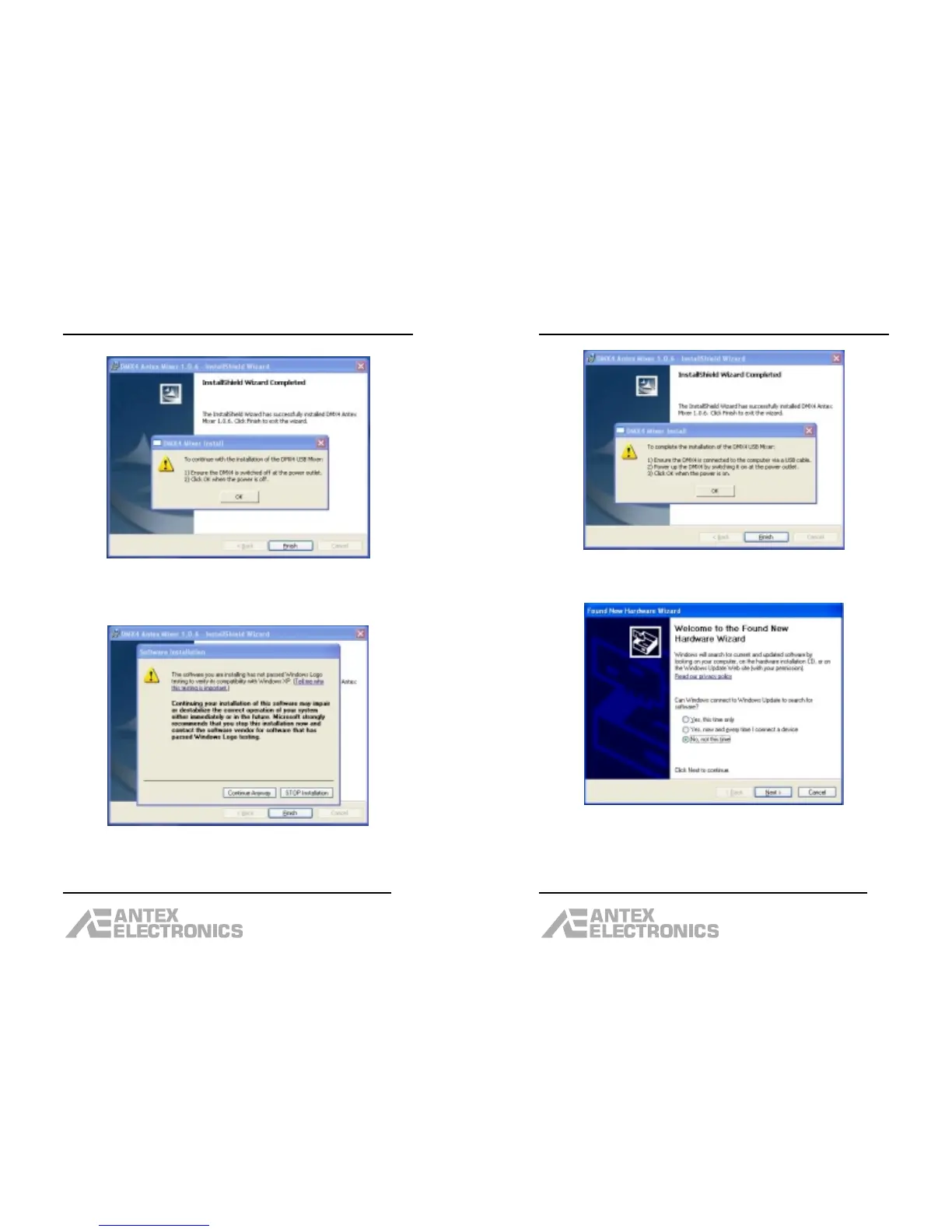
Make sure either the USB cable is unplugged, or power
is removed from the DMX-4. Then click “OK”.
If you see a dialog box like the one above, click
“Continue Anyway”.
DMX-4 USB Mixer User Manual
12
Make sure the USB cable is plugged in and the DMX-4 is
powered up. Click “OK”.
Click the “No, not this time” option (this is NOT the
default), then click “Next”.



 To Next Page