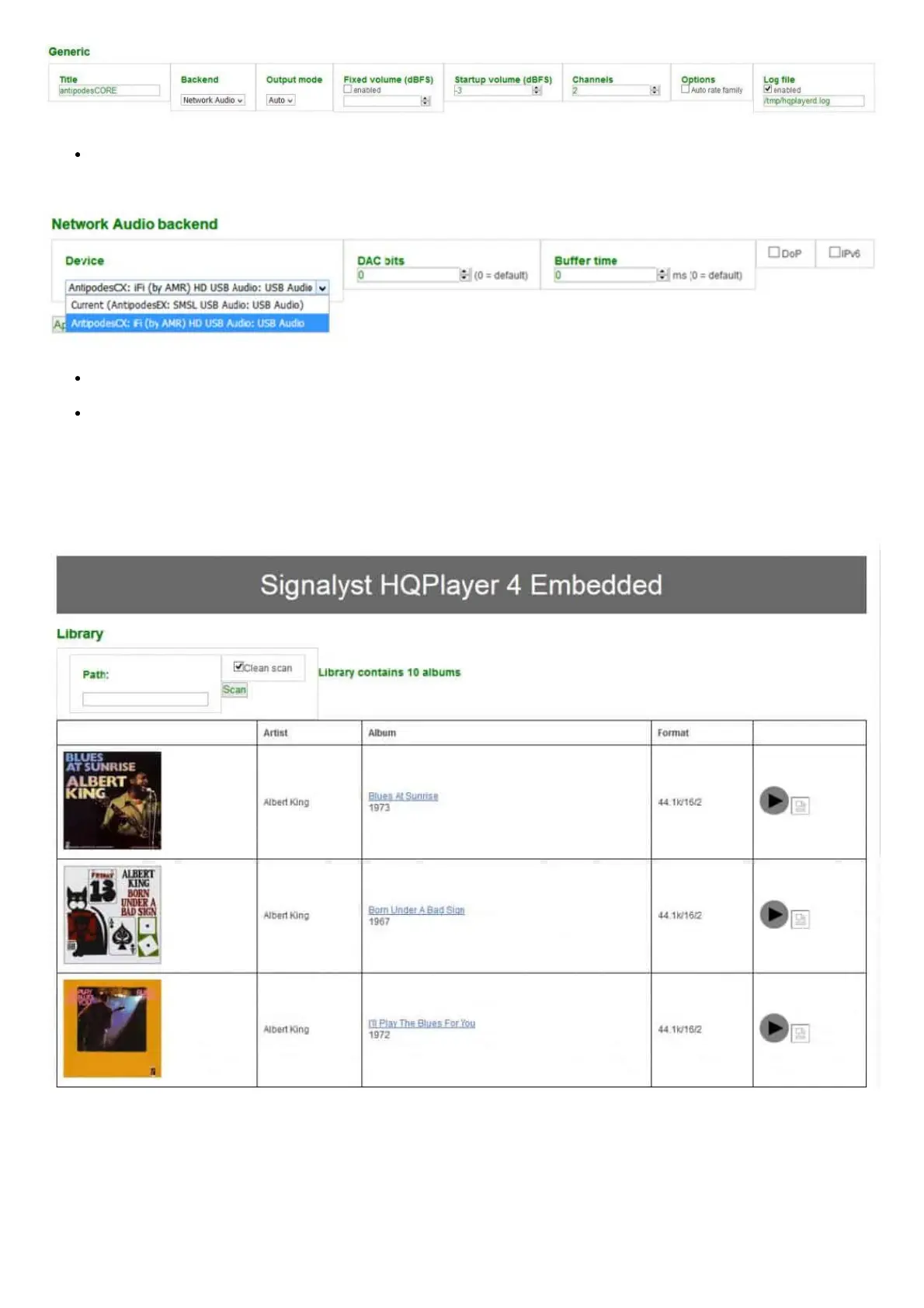
Under the Network Audio Backend heading in the Device box click the selection arrow. You should see a line that represents the DAC
that is connected to the Antipodes,in this example an iFi DAC:
Select that option and also select the DOP option if appropriate for your DAC.
Finally, go to the bottom of the page and click ‘Apply’. This completes the basic conguration for using the NAA option.
How to play music through HQPlayer using the ALSA option
You can open the Library function at the bottom of the HQPlayer Server conguration screen. This will allow you to view the music library on
screen, select and play albums:
However we recommend that you use a graphical control app such as HQPDControl (Android). There is currently (early 2019) no equivalent
iOS app.
How to set up Roon to work with HQPlayer Server
You can set up Roon to play through HQPlayer Server rather than through Roon Ready.



 To Next Page