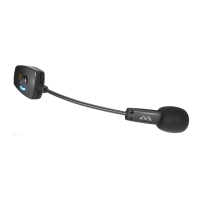
A
B
L R
Base Clasp
Surface Selection
Find a flat spot on the headphones for the 0.5” circle of adhesive. The adhesive will stick to smooth and mesh surfaces
but does not stick well to rubberized surfaces.
1. Put the headphones on to ensure the ModMic will reach the corner of your mouth from the desired mounting point.
2. Thoroughly clean and dry the surface with the included alcohol pad.
ModMic Uni Installation
Attaching & Orientation
1. Attach a base clasp to the top clasp
that holds the ModMic’s boom.
2. Remove the protective backing
from the adhesive.
3. While holding the top clasp, orient the mic boom
angle down so it points towards where your mouth will
be when using your headphones. (This will reduce the
need for additional bends in the boom after
installation—see Figure A).
4. Press the whole mic/clasp down onto the cleaned spot
and hold firmly for 60 seconds. Allow the adhesive to
cure for 1 hour.
5. To reverse the orientation of the boom from left earcup
to right, do not remove the boom from the clasp but
simply re-bend the cable end of the boom downward
in the opposite shape (see Figure B). Always ensure
the cable is pointing down to prevent cable breaks.
www.AntlionAudio.com Facebook: AntlionAudio Twitter: @AntlionAudio
For more information/extra clasps/questions/feedback visit www.AntlionAudio.com. Designed in Portland, Oregon.
Manufactured in China. ModMic and Antlion logo are registered trademarks of GTDevice LLC. U.S. and International patents.

 Need help?
 General

 To Next Page