- 02 -
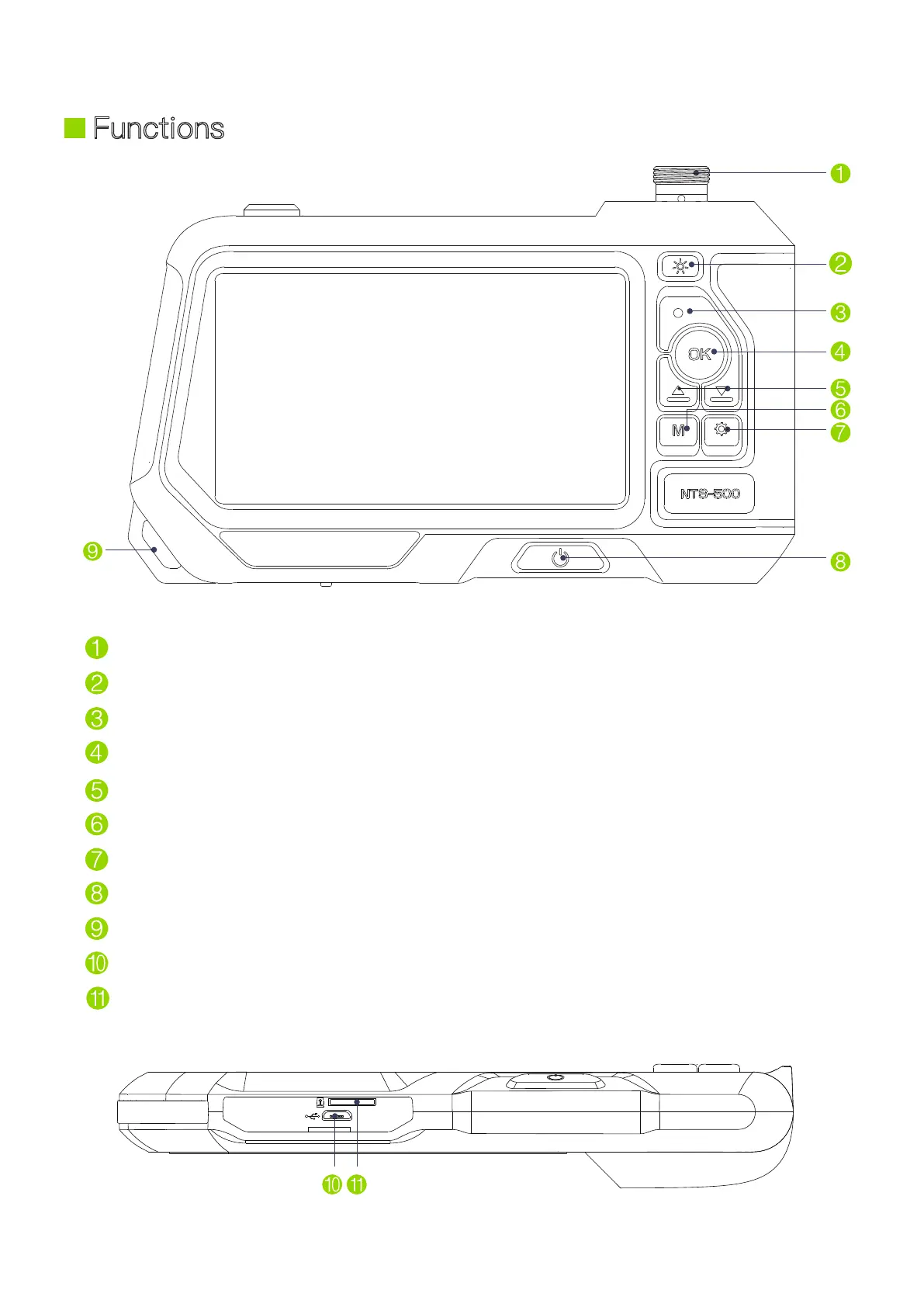
Camera probe connector
Light control button: Adjust the LEDs brightness of the camera
Snap button: Take a photo or start/end video recording
Enter button: Conf
irm selection/Freeze screen
Up and down selection button
Switch between three modes: Photo taking, Video recording and Playback
Settings button: Enter/exit settings menu
Power button: Long press to turn on/off
Hanging ring
Charging port
TF card slot
Functions


 To Next Page