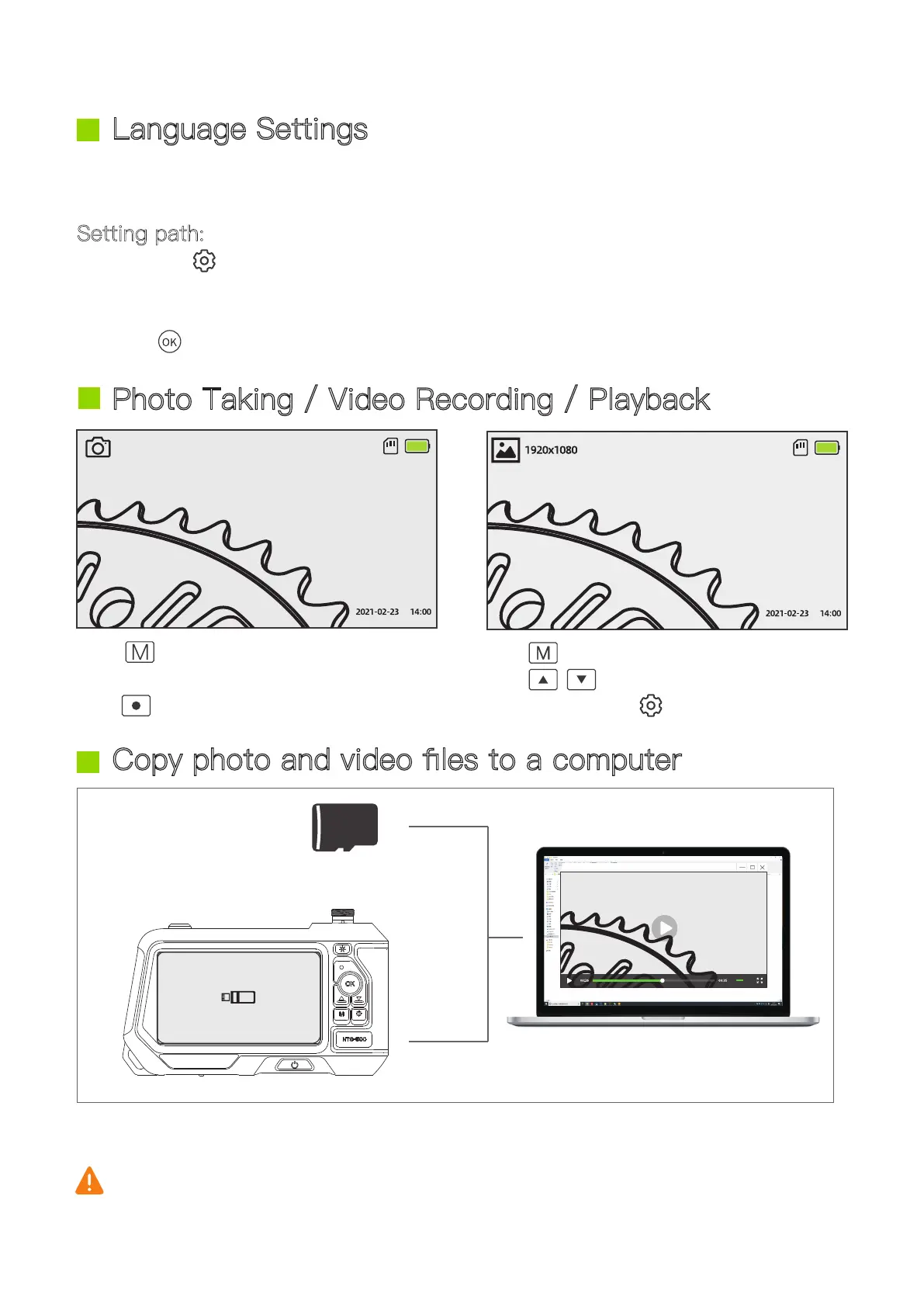
Copy photo and video files to a computer
- 05 -
1. Use a TF card reader to copy data directly.
2. Use a USB cable to connect to a computer for copying & charging.
Pull out probe camera first before using USB cable.
Press to switch between the “take
photo” or “video recording” mode, and
press to take a photo or start recording.
Press
to switch to playback mode,
press to select a photo or a video
to
view, and press to delete.
USB data cable
The default language is English, and the system supports English, Chinese, German,
French, Spanish, Italian, Russian and Japanese.
Setting path:
1. Press the button twice to enter setting page
2. Select second item (Language) on settings page
3. Press up and down keys to select the language
4. Press to save your choice
or
Card reader
Language Settings
Photo Taking / Video Recording / Playback


 To Next Page