Authorization and Password*
Call the unit for 10 times and successful
positioning. This number will be the defaul
t for authorized number.
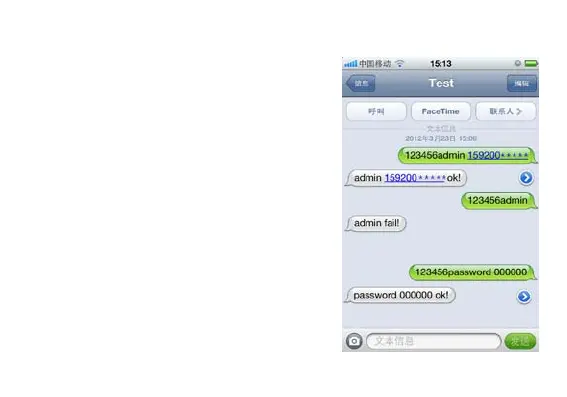
Send SMS "123456 admin 159200XXXXX
" to the unit, it will be authorized of this nu
mber. Only 5 numbers able to be authorizat
ion. If need cancel, send”123456admin”.
ord 000000”to unit,will reply“passw
ord 000000 ok!”.Notice:123456=old pass
word, 000000=new password.


 To Next Page