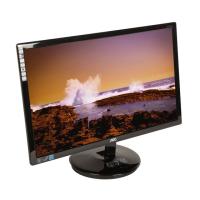
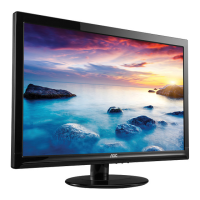
This document serves as the User Manual for the AOC GAMING 16G3 Gaming Monitor, providing essential information for its safe operation, setup, adjustment, troubleshooting, and technical specifications.
Function Description:
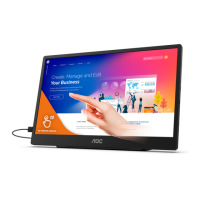
The AOC GAMING 16G3 is a portable gaming monitor designed for an immersive visual experience. It features a TFT Color LCD display with a 39.5 cm (diagonal) viewable image size and a resolution of 1920x1080. The monitor supports a wide range of refresh rates, with an optimal preset resolution at 1920x1080@60Hz and a maximum resolution at 1920x1080@144Hz, catering to both casual and competitive gaming. It incorporates Adaptive-Sync and AMD FreeSync Premium functions, available for selective models, which synchronize the monitor's refresh rate with the graphics card's frame rate to eliminate screen tearing and stuttering, ensuring smooth gameplay. The monitor is equipped with multiple connectivity options including Micro HDMI, USB-C, and an earphone out port, making it versatile for various devices.
Important Technical Specifications:
- Model Name: 16G3
- Driving System: TFT Color LCD
- Viewable Image Size: 39.5 cm diagonal
- Pixel Pitch: 0.17925mm(H) x 0.17925mm(V)
- Separate Sync.: H/V TTL
- Display Color: 16.7M Colors
- Horizontal Scan Range: 30k-160kHz
- Horizontal Scan Size (Maximum): 344.16mm
- Vertical Scan Range: 48-144Hz
- Vertical Scan Size (Maximum): 193.59mm
- Optimal Preset Resolution: 1920x1080@60Hz
- Max Resolution: 1920x1080@144Hz
- Plug & Play: VESA DDC2B/CI
- Power Source: 19Vdc, 2A
- Power Consumption: Typical (default brightness and contrast) 10W, Max. (brightness = 100, contrast =100) ≤40W, Standby Mode ≤0.5W
- Connector Type: Micro HDMI/USB C/Earphone out
- Signal Cable Type: Detachable
- Operating Temperature: 0°C~40°C
- Non-Operating Temperature: -25°C~ 55°C
- Operating Humidity: 10%~85% (non-condensing)
- Non-Operating Humidity: 5%~93% (non-condensing)
- Operating Altitude: 0~5000 m (0~16404ft)
- Non-Operating Altitude: 0~12192m (0~40000ft)
- VESA DDC2B Feature: The monitor is equipped with VESA DDC2B capabilities, allowing it to communicate its identity and display capabilities to the host system via a bi-directional I2C data channel.
- HDMI®: Supports High-Definition Multimedia Interface.
Usage Features:
The monitor offers a range of features to enhance user experience and adaptability:
- Adjustable Viewing Angle: The monitor stand allows for angle adjustments of 30°±3°, providing flexibility for optimal viewing positions. Users are cautioned not to touch the LCD screen during adjustment to prevent damage.
- OSD Setting: A comprehensive On-Screen Display (OSD) menu provides control over various settings, categorized into Luminance, Color Setup, Picture Boost, OSD Setup, Game Setting, and Extra.
- Luminance: Adjusts Contrast (0-100), Brightness (0-100), Eco Mode (Standard, Text, Internet, Game, Movie, Sports, Reading), Gamma (Gamma1, Gamma2, Gamma3), DCR (Off/On), and HDR Mode (Off, HDR Picture, HDR Movie, HDR Game). Note that when HDR Mode is active, Contrast, Eco Mode, and Gamma cannot be adjusted.
- Color Setup: Includes Color Temp (Warm, Normal, Cool, User, Panel Native), Color Gamut (sRGB, Off), LowBlue Mode (Multimedia, Internet, Office, Reading), Red/Green/Blue gain (0-100), DCB Mode (Off, Full Enhance, Nature Skin, Green Field, Sky-blue, Auto Detect), and DCB Demo (On/Off). When HDR Mode is active, Color Setup items cannot be adjusted.
- Picture Boost: Features Bright Frame (On/Off), Frame Size (14-100), Brightness (0-100), Contrast (0-100), H. position (0-100), and V. position (0-100) for a customizable viewing experience. These settings are also unavailable when HDR Mode is active.
- OSD Setup: Allows selection of Language, Timeout (5-120 seconds), Volume (0-100), H. Position (0-100), V. Position (0-100), Transparence (0-100), and Break Reminder (On/Off).
- Game Setting: Offers Game Mode presets (Off, FPS, RTS, Racing, Gamer 1, Gamer 2, Gamer 3), Shadow Control (0-100), Low Input Lag (On/Off), Game Color (0-20), Overdrive (Off, Weak, Medium, Strong), Adaptive-Sync/AMD FreeSync* (On/Off), and Frame Counter (Off, Right-up, Right-Down, Left-Down, Left-Up). Game Mode, Shadow Control, and Game Color cannot be adjusted when HDR Mode is active.
- Extra: Includes Input Select (Auto, HDMI, USB C), Off timer (0-24hrs), Image Ratio (Wide, 4:3, 1:1), DDC/CI (Yes/No), and Reset (ENERGY STAR® or No).
- Hotkeys: Dedicated buttons for Menu/Enter, Game Mode, Dial Point (to show/hide), and Power/Source/Exit provide quick access to frequently used functions.
- Wall Mounting: The monitor supports VESA wall mounting (mounting kit sold separately). Instructions are provided for installation, emphasizing power disconnection before the procedure.
- Adaptive-Sync and AMD FreeSync Premium: These features, available with USB-C/HDMI connections, are compatible with a range of AMD Radeon™ graphics cards and Ryzen™/PRO A-series processors, ensuring tear-free and low-latency gaming.
Maintenance Features:
- Cleaning: The manual advises regular cleaning of the cabinet with a water-dampened, soft cloth. For the screen, a soft cotton or microfiber cloth, damp and almost dry, should be used. Users are reminded to disconnect the power cord before cleaning.
- Troubleshooting Guide: A comprehensive section addresses common issues such as the power LED not being on, no images on the screen, fuzzy pictures, flickering, monitor stuck in active-off mode, missing colors, uncentered images, color defects, and horizontal/vertical disturbances. Solutions range from checking cable connections and power supply to adjusting OSD settings and rebooting the computer.
- Safety Precautions: The manual outlines crucial safety guidelines, including using the correct power source, proper grounding, unplugging during storms, avoiding overloading power strips, ensuring adequate ventilation, and handling the monitor with care to prevent physical damage or electrical hazards. It also warns against operating the monitor if it emits strange smells, sounds, or smoke.

 Need help?

 To Next Page
 General