EasyManua.ls Logo

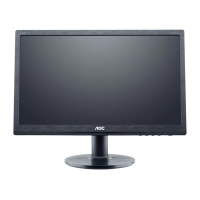
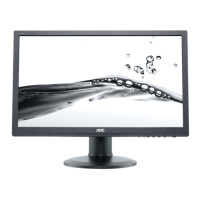
AOC 60P - User Manual

AOC 60P
76 pages
Print Icon
To Next Page IconTo Next Page
Loading...
60S / 60P (LED Backlight)

Other manuals for AOC 60P

Questions and Answers

  • S
    Stephen YoderAug 12, 2025
    How to troubleshoot no power on my AOC 60P Monitor?
    • T
      traceymooreAug 12, 2025
      If your AOC Monitor has no power, ensure the power cable is securely tightened. Also, verify that the power switch is turned 'On' and check if the LED indicator is working correctly. If these steps don't resolve the issue, consider replacing the converter board, main board, or keyboard, checking all connections during the replacement.
  • T
    Timothy SmithAug 21, 2025
    What to do if my AOC Monitor has no video but the power LED is blue?
    • C
      christopher17Aug 21, 2025
      If your AOC Monitor displays no video but the power LED is blue, first ensure the power button functions correctly. If the issue persists, consider replacing the main board, converter board, LVDS/FFC cable or panel, or the keyboard. Remember to check all connections during the replacement process.
  • V
    Virginia SimpsonSep 1, 2025
    Why is the color not optimal on my AOC 60P?
    • E
      ericgarzaSep 1, 2025
      If the color on your AOC Monitor is not optimal, begin by adjusting the 'color settings' in the user mode until you achieve a satisfactory result. If the problem persists, detach the signal cable to see if the screen displays color normally. If not, try replacing the signal cable or connecting to a different PC. As a last resort, consider replacing the main board.

AOC 60P Specifications

General IconGeneral
BrandAOC
Model60P
CategoryMonitor
LanguageEnglish

Related product manuals